












Key Features of Public Cloud Computing
Public cloud computing is a cloud deployment model where services are delivered over the internet and shared among multiple users. It provides flexible, scalable, and cost-effective solutions without requiring users to own physical infrastructure. Understanding the key features of public cloud computing helps users utilize cloud services efficiently.
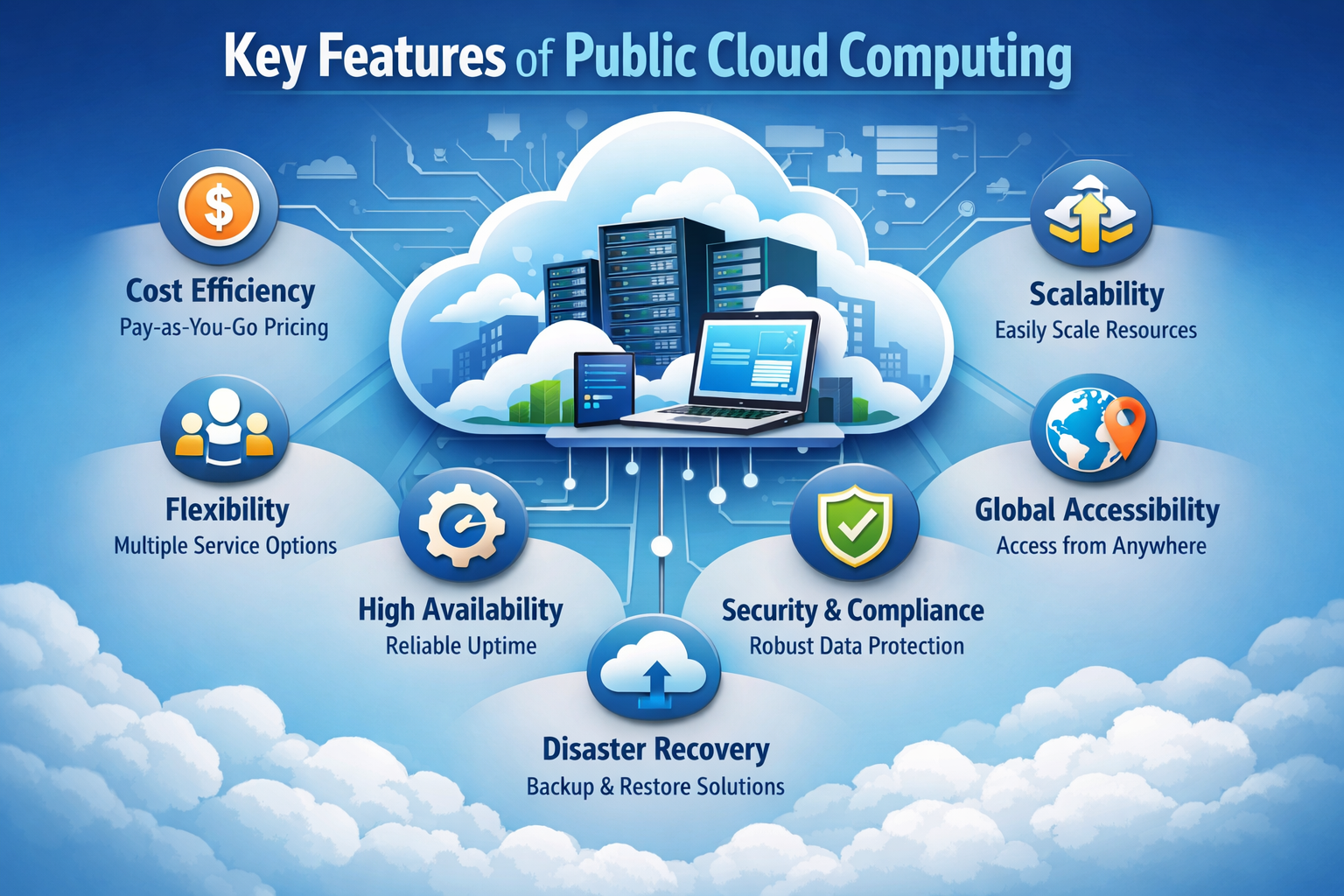
Let us explain each key feature of public cloud computing in detail.
1. Shared Infrastructure
Shared infrastructure is a fundamental concept of public cloud where multiple users (tenants) utilize the same physical hardware such as servers, storage, and networking resources. The cloud provider manages this infrastructure centrally while ensuring that each user’s data and applications remain secure and isolated. This approach maximizes efficiency, reduces cost, and enables large-scale cloud operations.
How It Works
Shared infrastructure operates through advanced technologies that allow multiple users to safely and efficiently use the same resources. Here are some key points.
- Multi-Tenant Architecture: Multiple users (tenants) share the same physical infrastructure, but each user operates in a logically isolated environment to ensure privacy and security.
- Virtualization Technology: Physical servers are divided into multiple virtual machines using hypervisors, allowing different users to run independent systems on the same hardware.
- Resource Pooling: Cloud providers combine computing resources into a large pool and dynamically allocate them based on user demand.
- Dynamic Allocation: Resources such as CPU, memory, and storage are assigned and reallocated automatically depending on workload requirements.
- Isolation Mechanisms: Strong isolation techniques ensure that one user’s data and applications cannot be accessed or affected by others.
- Load Balancing: Workloads are distributed across multiple servers to maintain performance and avoid system overload.
Key Advantages of Shared Infrastructure
- Cost Efficiency: Infrastructure costs are shared among multiple users, significantly reducing individual expenses.
- High Resource Utilization: Maximizes the use of hardware by avoiding idle resources.
- Scalability: Users can scale resources up or down without needing dedicated hardware.
- Simplified Management: Cloud providers handle maintenance, updates, and infrastructure management.
- Global Availability: Shared infrastructure supports services that can be accessed worldwide.
Example
A cloud provider hosts applications for multiple companies on the same physical servers. Each company uses its own virtual environment with separate data and configurations. Even though the hardware is shared, strict isolation ensures that companies operate independently without any interference.
2. High Scalability
High scalability is a core feature of public cloud that allows systems to expand or reduce resources dynamically based on workload demand. It ensures that applications can handle both low and high traffic efficiently without performance issues.
How It Works
High scalability in public cloud is achieved through automated resource management and distributed infrastructure. Here are some key points.
- Dynamic Scaling: Resources such as CPU, memory, and storage can be increased or decreased instantly based on demand.
- Auto-Scaling Mechanisms: Cloud systems automatically monitor workload and adjust resources without manual intervention.
- Elastic Infrastructure: Resources are not fixed and can grow or shrink depending on usage patterns.
- Load Distribution: Traffic is distributed across multiple servers to maintain system performance.
- On-Demand Provisioning: New resources are provisioned instantly when required.
- Global Resource Availability: Cloud providers use multiple data centers to support scaling across regions.
Key Advantages of High Scalability
- Handles Peak Loads: Supports high traffic during events like sales, promotions, or viral content.
- Improved Performance: Ensures smooth operation even under heavy workloads.
- Cost Optimization: Users only pay for the resources they use during scaling.
- Business Continuity: Prevents system crashes during sudden demand spikes.
- Future Growth Support: Easily accommodates increasing users and data.
Example
An online e-commerce platform automatically increases server capacity during a sale event and reduces it after traffic decreases, ensuring smooth performance without extra cost.
3. Pay-As-You-Go Pricing
Pay-as-you-go pricing is a billing model where users are charged based on actual resource usage rather than fixed costs. This makes cloud computing highly cost-efficient and flexible.
How It Works
This pricing model is based on metering and monitoring of resource consumption. Here are some key points.
- Usage-Based Billing: Charges are calculated based on compute, storage, and network usage.
- No Upfront Investment: Users do not need to purchase hardware or infrastructure.
- Metered Services: Cloud providers track usage in real time for accurate billing.
- Flexible Payment Model: Users can scale usage without worrying about fixed costs.
- Transparent Pricing: Detailed billing reports show resource consumption.
Key Advantages of Pay-As-You-Go
- Cost Efficiency: Eliminates unnecessary expenses for unused resources.
- Budget Control: Organizations can monitor and control spending easily.
- Financial Flexibility: No need for large capital investment.
- Scalable Costs: Costs increase or decrease with usage.
- Accessible for Startups: Ideal for small businesses with limited budgets.
Example
A company pays only for the storage and computing power it consumes, avoiding costs for unused infrastructure.
4. Accessibility from Anywhere
Public cloud enables users to access services from any location using the internet, making it highly flexible and globally accessible.
How It Works
Cloud services are delivered through internet-based platforms and distributed networks. Here are some key points.
- Internet-Based Access: Users connect to cloud services through web browsers or applications.
- Device Independence: Services can be accessed from multiple devices such as laptops, smartphones, and tablets.
- Global Network Infrastructure: Cloud providers operate worldwide networks for accessibility.
- Remote Connectivity: Users can work and collaborate from any location.
- Secure Access Channels: Authentication ensures safe remote access.
Key Advantages of Accessibility
- Work from Anywhere: Enables remote work and global collaboration.
- Multi-Device Support: Accessible across different devices seamlessly.
- Global Reach: Services are available to users worldwide.
- Improved Productivity: Users can access data and applications anytime.
- Business Continuity: Work continues even during location-based disruptions.
Example
Students can access assignments, learning platforms, and tools from home, school, or any location.
5. High Availability
High availability ensures that cloud services remain operational with minimal downtime, providing reliable and continuous access.
How It Works
Cloud providers design systems with redundancy and failover mechanisms. Here are some key points.
- Redundant Systems: Multiple backup systems ensure continuous service.
- Failover Mechanisms: Automatically switch to backup systems during failures.
- Distributed Architecture: Services run across multiple servers and locations.
- Monitoring Systems: Continuous monitoring detects and resolves issues quickly.
- Load Balancing: Distributes traffic to avoid server overload.
Key Advantages of High Availability
- Minimal Downtime: Ensures services are always accessible.
- Reliable Performance: Maintains consistent service quality.
- Fault Tolerance: Handles system failures without interruption.
- User Satisfaction: Provides uninterrupted user experience.
- Business Continuity: Supports ongoing operations during failures.
Example
If one server fails, another server automatically takes over, ensuring uninterrupted service.
6. Automatic Updates and Maintenance
Public cloud providers handle system updates and maintenance, reducing the burden on users and ensuring systems remain up to date.
How It Works
Cloud providers manage infrastructure and software updates centrally. Here are some key points.
- Automatic Software Updates: Systems are updated regularly without user intervention.
- Patch Management: Security patches are applied automatically.
- Infrastructure Maintenance: Providers manage hardware and system health.
- Performance Optimization: Updates improve system efficiency and performance.
- Downtime Minimization: Updates are applied with minimal disruption.
Key Advantages of Automatic Updates
- No Manual Effort: Users do not need to manage updates.
- Improved Security: Regular updates fix vulnerabilities.
- Better Performance: Enhancements improve system functionality.
- Time Saving: Reduces administrative workload.
- Latest Features: Users always access updated services.
Example
Users automatically get the latest version of applications without needing to install updates manually.
7. Security Features
Public cloud providers implement strong security mechanisms to protect data, applications, and infrastructure.
How It Works
Security is implemented through multiple layers and technologies. Here are some key points.
- Data Encryption: Protects data during storage and transmission.
- Access Control Systems: Ensures only authorized users can access resources.
- Firewalls and Security Tools: Protect against unauthorized access and attacks.
- Monitoring and Threat Detection: Identifies and prevents potential threats.
- Compliance Standards: Meets industry regulations and security requirements.
Key Advantages of Security Features
- Data Protection: Keeps sensitive information secure.
- Access Management: Controls user permissions effectively.
- Threat Prevention: Reduces risk of cyberattacks.
- Regulatory Compliance: Supports legal and industry standards.
- Continuous Monitoring: Ensures real-time security management.
Example
Cloud platforms use encryption and access control to secure user data from unauthorized access.
8. Resource Pooling
Resource pooling allows cloud providers to serve multiple users using a shared pool of resources efficiently.
How It Works
Resources are dynamically managed and allocated among users. Here are some key points.
- Shared Resources: Servers, storage, and networking are shared among users.
- Dynamic Allocation: Resources are assigned based on demand.
- Multi-Tenant Model: Multiple users operate on the same infrastructure with isolation.
- Efficient Utilization: Maximizes usage of available resources.
- Centralized Management: Providers manage resource distribution centrally.
Key Advantages of Resource Pooling
- Cost Reduction: Shared infrastructure reduces overall cost.
- Efficient Resource Usage: Minimizes waste of computing resources.
- Scalability Support: Resources can be adjusted easily.
- High Availability: Ensures resources are always accessible.
- Flexibility: Supports varying workloads efficiently.
Example
Multiple applications run on the same cloud infrastructure while maintaining separate environments.
9. Rapid Deployment
Public cloud enables quick deployment of applications and services, reducing time-to-market.
How It Works
Cloud systems provide ready-to-use infrastructure and automation tools. Here are some key points.
- Instant Provisioning: Resources are available within minutes.
- Pre-Configured Environments: Ready-to-use setups reduce deployment time.
- Automation Tools: Deployment processes are automated.
- Continuous Integration Support: Enables fast development and updates.
- Simplified Setup: Reduces complexity in launching applications.
Key Advantages of Rapid Deployment
- Fast Setup: Applications can be launched quickly.
- Reduced Time-to-Market: Speeds up product delivery.
- Increased Productivity: Developers can focus on building applications.
- Efficient Development Cycle: Supports agile development.
- Competitive Advantage: Faster deployment helps businesses stay ahead.
Example
A startup launches its application within minutes using cloud infrastructure without complex setup.
10. Global Infrastructure
Public cloud providers operate large-scale data centers across multiple regions worldwide.
How It Works
Cloud services are distributed across global networks and regions. Here are some key points.
- Multiple Data Centers: Services are hosted in different geographic locations.
- Content Delivery Networks (CDN): Deliver content faster using nearby servers.
- Geographical Distribution: Reduces latency by serving users from nearest locations.
- Disaster Recovery Support: Backup systems across regions ensure reliability.
- Global Load Balancing: Distributes traffic worldwide for performance optimization.
Key Advantages of Global Infrastructure
- Worldwide Availability: Services can reach users globally.
- Low Latency: Faster response times due to nearby servers.
- Improved Performance: Enhances user experience across regions.
- High Reliability: Multiple locations ensure continuous service.
- Scalable Global Operations: Supports international business expansion.
Example
Streaming platforms deliver videos efficiently to users across different countries using globally distributed data centers.
Top 5 FAQs (Interview & Exam Focused)
1. What is public cloud computing?
Public cloud computing is a model where resources are shared and delivered over the internet.
2. What is the main feature of public cloud?
The main feature is shared infrastructure with scalable resources.
3. How does public cloud provide scalability?
It uses dynamic resource allocation to increase or decrease capacity based on demand.
4. Why is public cloud cost-effective?
Because users pay only for what they use and share resources with others.
5. What is resource pooling in public cloud?
It is the sharing of computing resources among multiple users efficiently.
Conclusion
Public cloud computing offers powerful features that make it flexible, scalable, and cost-effective.
-
Shared infrastructure
-
Easy accessibility
-
High scalability
-
Automatic maintenance
These features make public cloud an essential part of modern computing for students, developers, and businesse