












What Is PaaS in Cloud Computing? Beginner Explanation
Platform as a Service (PaaS) in cloud computing is a model that lets developers build, run, and manage applications without handling infrastructure. PaaS in cloud computing simplifies app development by providing ready-to-use tools, frameworks, and environments online. Understanding PaaS in cloud computing helps beginners create and deploy applications faster with less technical complexity.
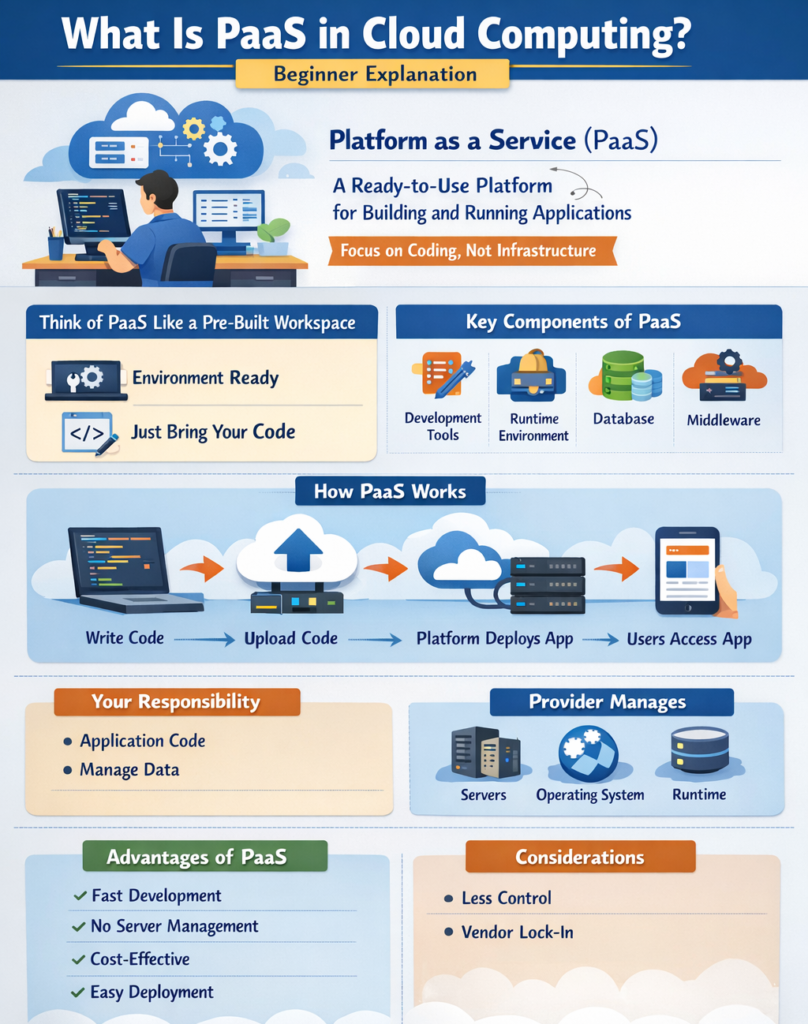
What Is PaaS in Simple Terms?
PaaS is a cloud service where the provider manages the infrastructure, and users focus only on building and running applications.
Simple Explanation
Think of PaaS like a pre-built workspace:
-
The environment is already set up
-
You just bring your code and start working
Key Components of PaaS
PaaS includes all the tools and services required for application development.
Main Components
-
Development tools
-
Runtime environment
-
Middleware
-
Database management systems
-
Operating system (managed by provider)
These components allow developers to focus entirely on coding.
How PaaS Works
PaaS works by providing a platform where developers can upload code and run applications without managing hardware or operating systems.
Step-by-Step Working
-
Developer writes application code
-
Uploads code to the cloud platform
-
Platform handles deployment and execution
-
Users access the application via the internet
Real-Life Examples of PaaS
PaaS is widely used by developers for building and deploying applications quickly.
Popular PaaS Providers
-
Google App Engine
-
Heroku
-
Microsoft Azure App Services
Practical Example
A student creates a web application:
-
Writes code using a programming language
-
Uploads it to Heroku
-
The platform automatically runs the app
No need to manage servers or install software.
What You Manage in PaaS
In PaaS, users manage only the application and data.
User Responsibilities
-
Application code
-
Data management
Provider Responsibilities
-
Infrastructure
-
Operating system
-
Runtime environment
Advantages of PaaS
PaaS simplifies development and improves productivity.
Key Benefits
-
Faster development
-
No infrastructure management
-
Cost-effective
-
Easy deployment
Disadvantages of PaaS
PaaS also has some limitations.
Limitations
-
Limited control over the environment
-
Vendor lock-in
-
Less flexibility compared to IaaS
When Should You Use PaaS?
PaaS is best suited for application development and deployment.
Best Use Cases
-
Web application development
-
Mobile app development
-
API development
-
Rapid prototyping
Real-World Scenario
PaaS is commonly used in modern application development.
Example: Startup Application
A startup uses PaaS to:
-
Build its app quickly
-
Deploy without managing servers
-
Scale as users grow
Why PaaS Is Important for Students
PaaS is an important concept for students learning cloud computing.
Learning Benefits
-
Helps understand application development
-
Reduces complexity
-
Useful for projects
Conclusion
PaaS is a cloud service model that simplifies application development by handling infrastructure and platform management.
-
Developers focus on coding
-
Provider manages backend systems
-
Ideal for fast and efficient development
Understanding PaaS helps students and professionals build modern applications with ease.