












Key Features of Software as a Service (SaaS)
Software as a Service (SaaS) is a cloud computing model that delivers software applications over the internet. It allows users to access applications without installing or maintaining them on their devices. Understanding the key features of Software as a Service (SaaS) helps users take full advantage of its simplicity, accessibility, and efficiency.
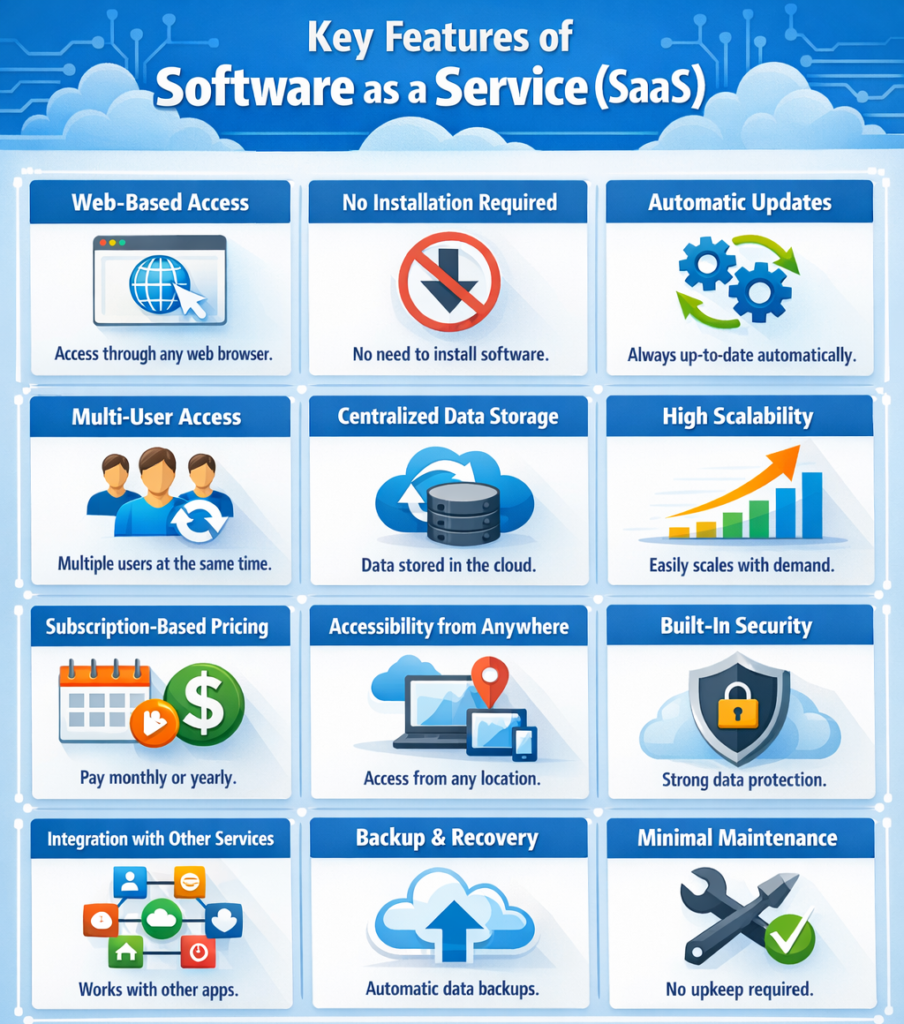
Let us explain each key feature of Software as a Service (SaaS) in detail.
1. Web-Based Access
SaaS applications are accessed through web browsers, eliminating the need for installation on local devices. This makes software easy to use, accessible, and device-independent.
How Web-Based Access Works
- Access via browser: Users can open applications using Chrome, Edge, or any browser without downloading software.
- No device dependency: Works on laptops, tablets, and smartphones easily.
- Instant availability: Applications are ready to use anytime with internet access.
- No Installation Required: Users do not need to install or update software manually
- Cross-Platform Compatibility: Works on Windows, macOS, Android, and iOS without changes
- Automatic Updates: Latest features and security updates are available instantly
- Low System Requirements: No need for high-end hardware since processing is cloud-based
- Anywhere Access: Users can access applications from any location with internet
- Secure Access: Login-based access ensures authentication and data protection
- Centralized Data Access: All data is stored in the cloud and accessible anytime
Example of Web-Based Access
A user opens Gmail in a browser without installing any email software.
2. No Installation Required
SaaS removes the need for manual installation and setup of software. Applications run directly in the browser, making them simple and quick to use.
Benefits of No installation
- No setup process: Users can start using the application immediately after login.
- Saves storage space: No software is stored on the local device.
- Reduces complexity: Ideal for beginners and non-technical users.
- Instant Access: Applications are ready to use without download or installation
- No Maintenance Required: Users do not need to handle updates or patches
- Time Saving: Eliminates time spent on installation and configuration
- Device Independence: Can be used on any device without setup
- Automatic Version Management: Always uses the latest version without manual upgrade
- Reduced System Load: Local devices are not burdened with heavy software
- Easy Onboarding: New users can start quickly without technical setup
- No Compatibility Issues: Works across different operating systems smoothly
Example of No installation
Google Docs can be used directly online without installing Microsoft Word.
3. Automatic Updates
SaaS providers handle updates and maintenance automatically, ensuring users always work with the latest and most secure version of the software.
Key Features of Automatic Updates
- Regular updates: New features and improvements are added automatically.
- Bug fixes: Errors are resolved without user intervention.
- No manual action required: Users always access the latest version.
- Latest Version Always Available: Users automatically use the newest version of the application
- Improved Security: Security patches are applied quickly to protect data
- No Downtime for Updates: Updates happen in the background without interrupting users
- Consistent User Experience: All users access the same updated version
- Reduced Maintenance Effort: No need for IT teams to manage updates manually
- Faster Feature Delivery: New functionalities are released quickly to users
- Automatic Performance Improvements: System performance is optimized regularly
- Centralized Update Management: Updates are handled by the provider for all users
Example of Automatic Updates
Users always get the latest version of Zoom without updating it manually.
4. Multi-User Access
SaaS allows multiple users to access the same application simultaneously. This enables teams to work together efficiently using shared cloud-based platforms.
Benefits of Multi-User Access
- Shared Access: Multiple users can work on the same platform
- Real-Time Collaboration: Changes are visible instantly to all users
- User Management: Admins can control access levels
- Real-Time Synchronization: Data updates are reflected instantly for all users
- Role-Based Access Control: Different users get permissions based on roles
- Team Collaboration: Teams can work together from different locations
- Centralized Work Environment: All users operate within a shared system
- Concurrent Usage: Multiple users can use the system at the same time
- Improved Communication: Collaboration reduces delays in teamwork
- Version Control: Tracks changes made by different users
- Remote Team Support: Enables collaboration for distributed teams
- Scalable User Access: Easily add or remove users as needed
Example of Multi-User Access
Multiple students can edit a Google Doc at the same time.
5. Centralized Data Storage
All data in SaaS applications is stored on cloud servers. This ensures that data is easily accessible, consistently updated, and securely managed from a central location.
Features of Centralized Data Storage
- Cloud Storage: Data is stored securely on remote servers
- Easy Access: Users can retrieve data anytime from anywhere
- Data Consistency: Same data is available across all devices
- Real-Time Updates: Changes are saved and updated instantly
- Data Backup: Automatic backups prevent data loss
- High Availability: Data is accessible with minimal downtime
- Secure Storage: Providers implement security measures to protect data
- Scalable Storage: Storage capacity can grow as needed
- Data Synchronization: Data stays updated across multiple devices
- Centralized Management: All data is managed from one location
- Disaster Recovery: Data can be restored quickly in case of failure
- Reduced Data Duplication: Eliminates multiple versions of the same data
Example of Centralized Data Storage
Files saved in Google Drive can be accessed from any device.
6. High Availability
High availability in SaaS ensures that applications and services remain accessible and operational with minimal downtime. Cloud providers use advanced infrastructure and redundancy techniques to keep services running continuously.
Features of High Availability
- Minimal Downtime: Applications remain available with very little interruption
- Redundant Systems: Multiple servers ensure backup in case one fails
- Load Balancing: Traffic is distributed across servers for better performance
- Failover Mechanism: Automatically switches to backup systems during failure
- 24/7 Availability: Services are accessible at all times
- Reliable Performance: Ensures consistent speed and responsiveness
- Geographic Distribution: Data centers in multiple locations improve uptime
- Auto Recovery: Systems recover automatically after failure
- Continuous Monitoring: Providers monitor systems to prevent issues
- Scalable Infrastructure: Handles high traffic without service disruption
- Service Reliability: Ensures dependable access for users
- Business Continuity: Keeps operations running even during issues
Example of High Availability
Users can access Gmail or cloud applications anytime, even if one server fails, because backup systems keep the service running.
7. Subscription-Based Pricing
SaaS typically uses a subscription or pay-as-you-go pricing model. This makes software more affordable and flexible compared to traditional one-time purchases.
Benefits of Subscription-Based Pricing
- Affordable Plans: Users pay monthly or yearly instead of large upfront costs
- Flexible Pricing: Different plans are available based on user needs
- Cost Control: Pay only for the features and usage required
- No Large Investment: Eliminates the need for expensive initial setup
- Scalable Pricing: Costs increase or decrease based on usage
- Pay-as-You-Go Model: Charges are based on actual consumption
- Budget Friendly: Easier for businesses to manage expenses
- Free Trials Available: Many providers offer trial periods before payment
- Upgrade and Downgrade Options: Users can change plans anytime
- Transparent Billing: Clear pricing with no hidden costs
- Reduced Financial Risk: No long-term commitment required in many cases
- Value for Money: Continuous updates and features included in the price
Example of Subscription-Based Pricing
Netflix offers monthly subscription plans for streaming services.
8. Accessibility from Anywhere
SaaS applications can be accessed from any location with internet connectivity. This allows users to work, learn, and collaborate without being limited to a specific place.
Benefits of Accessibility from Anywhere
- Remote Access: Work from home, school, or any location
- Device Flexibility: Use on mobile, tablet, or desktop
- Supports Global Users: Enables worldwide accessibility
- 24/7 Availability: Access applications anytime without restrictions
- Work Continuity: Continue work without interruption from different locations
- Location Independence: No need to be in a specific office or place
- Improved Collaboration: Teams can work together from different regions
- Instant Connectivity: Quick access with just an internet connection
- Flexible Work Environment: Supports remote and hybrid work models
- Cross-Device Synchronization: Seamless experience across devices
- Travel Friendly: Access data and apps while traveling
- Enhanced Productivity: Work anytime, increasing efficiency
Example of Accessibility from Anywhere
A student can access assignments from home or school using Google Classroom.
9. Built-in Security
SaaS providers include security features to protect user data. These security measures are managed by the provider to ensure safe and reliable usage of applications.
Security Features of Built-in Security
- Data Encryption: Protects information during transmission and storage
- Authentication: Ensures only authorized users can access accounts
- Regular Monitoring: Detects and prevents security threats
- Multi-Factor Authentication (MFA): Adds extra security through verification steps
- Data Backup: Prevents data loss through regular backups
- Access Control: Limits user permissions based on roles
- Secure Data Centers: Uses highly protected infrastructure
- Threat Detection: Identifies suspicious activities in real time
- Automatic Security Updates: Fixes vulnerabilities without user action
- Compliance Standards: Meets industry and legal security requirements
- Firewalls and Protection Systems: Blocks unauthorized access
- User Activity Tracking: Monitors actions for security purposes
Example of Built-in Security
Gmail uses encryption and login verification to protect user accounts.
10. Integration with Other Services
SaaS applications can integrate with other tools and platforms. This helps connect different systems and improves overall workflow efficiency.
Benefits of Integration with Other Services
- Connected Systems: Works with other apps like Google Drive or Slack
- Improved Workflow: Enhances productivity by linking multiple services
- Automation: Enables automated processes between applications
- Data Synchronization: Shares data seamlessly across platforms
- API Integration: Uses APIs to connect with third-party services
- Time Saving: Reduces manual data entry and repetitive tasks
- Centralized Operations: Manage multiple tools from one system
- Enhanced Collaboration: Teams can use integrated tools together
- Custom Integrations: Businesses can build integrations based on needs
- Scalable Integration: Easily add new tools as requirements grow
- Better Data Accuracy: Reduces errors through automated data sharing
- Streamlined Processes: Simplifies complex workflows
Example of Integration with Other Services
Google Docs integrates with Google Drive for easy file storage.
11. Backup and Recovery
SaaS platforms provide automatic data backup and recovery options. This ensures that user data is protected and can be restored easily in case of any failure.
Features of Backup and Recovery
- Automatic Backups: Data is saved regularly without user action
- Disaster Recovery: Restores data in case of system failure
- Data Safety: Minimizes risk of data loss
- Version History: Allows users to restore previous versions of files
- Quick Recovery: Data can be recovered in minutes
- Cloud Redundancy: Data is stored in multiple locations for safety
- Secure Backup Storage: Backup data is protected with encryption
- User-Controlled Recovery: Users can restore deleted or modified data
- Continuous Data Protection: Changes are saved in real time
- Reduced Downtime: Fast recovery ensures minimal disruption
- Reliable Data Protection: Ensures long-term data availability
- Automated Recovery Processes: No manual effort required for restoration
Example of Backup and Recovery
Deleted files in Google Drive can often be recovered from the trash.
12. Minimal Maintenance
SaaS requires very little maintenance from the user side. The service provider manages all technical aspects such as updates, servers, and infrastructure.
Benefits of Minimal Maintenance
- No Technical Management: Users do not manage servers or updates
- Time Saving: Reduces workload for individuals and businesses
- Focus on Usage: Users focus only on tasks, not system management
- Automatic Updates: Software updates are handled by the provider
- No Hardware Maintenance: No need to manage physical infrastructure
- Reduced IT Costs: Less need for dedicated IT staff
- Simplified Operations: Easy to use without complex setup
- High Reliability: Provider ensures system performance and uptime
- Error Reduction: Fewer technical issues due to managed services
- Scalable Maintenance: Maintenance scales automatically with usage
- Consistent Performance: Systems are optimized regularly
- Hassle-Free Experience: Users enjoy smooth and uninterrupted service
Example of Minimal Maintenance
Users can focus on writing documents instead of maintaining software systems.
Conclusion
Software as a Service (SaaS) is a powerful and modern cloud computing model that simplifies how software is delivered and used. It eliminates the need for installation, maintenance, and complex infrastructure, making applications easy to access and manage.
SaaS provides flexibility, scalability, and convenience by allowing users to access applications from anywhere using any device. With features like automatic updates, built-in security, centralized data storage, and seamless integration, SaaS ensures a smooth and efficient user experience.
Key Highlights
- No Installation Required: Use applications instantly without setup
- Anywhere Accessibility: Access software from any location or device
- Automatic Updates: Always stay updated with the latest features
- Built-in Security: Protects data with advanced security measures
- Cost-Effective: Subscription-based pricing reduces upfront costs
- Easy Collaboration: Multiple users can work together in real time
- Minimal Maintenance: No need to manage servers or infrastructure
Overall, SaaS is the most user-friendly and efficient cloud service model. It is widely used by students, individuals, and businesses to increase productivity, reduce costs, and simplify software usage in the modern digital world.