












How Cloud Computing Works Step by Step
Cloud computing works by delivering computing services such as servers, storage, databases, networking, and applications over the internet. Instead of relying on physical hardware, users access resources provided by cloud service providers on demand.
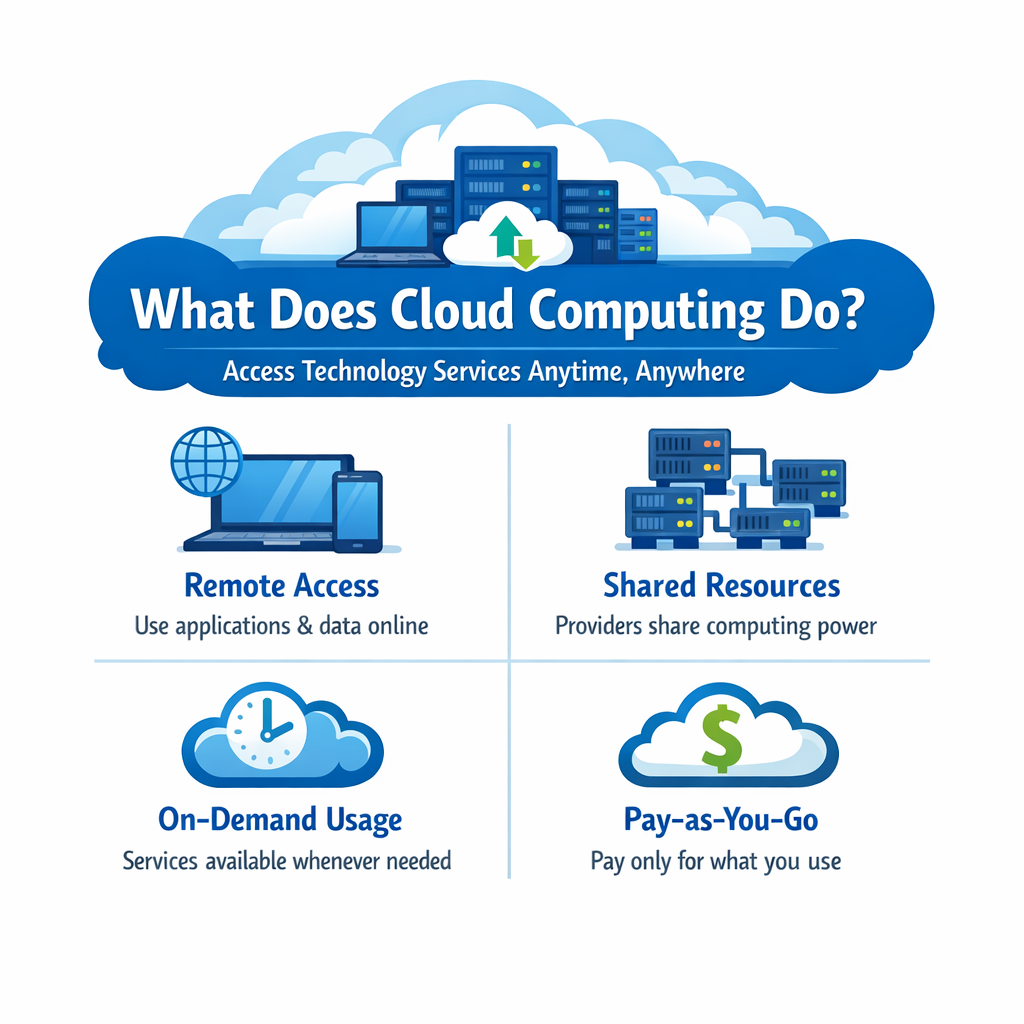
What Does Cloud Computing Do?
Cloud computing enables users to access technology services anytime and from anywhere through the internet.
Key Functions
- Remote Access: Use applications and data online without local installation
- Shared Resources: Providers distribute computing resources among multiple users
- On-Demand Usage: Services are available whenever needed
- Pay-as-You-Go: Users pay only for the resources they consume
Why It Is Important to Understand the Process
Understanding how cloud computing works helps in building strong foundational knowledge.
Key Benefits of Understanding
- Better Understanding: Learn how user requests are processed
- Practical Learning: Connect theoretical concepts with real-world systems
- Foundation Knowledge: Prepare for advanced cloud technologies
- System Awareness: Understand performance, security, and scalability
Step-by-Step Working of Cloud Computing
Below is a detailed breakdown of how cloud computing works behind the scenes.
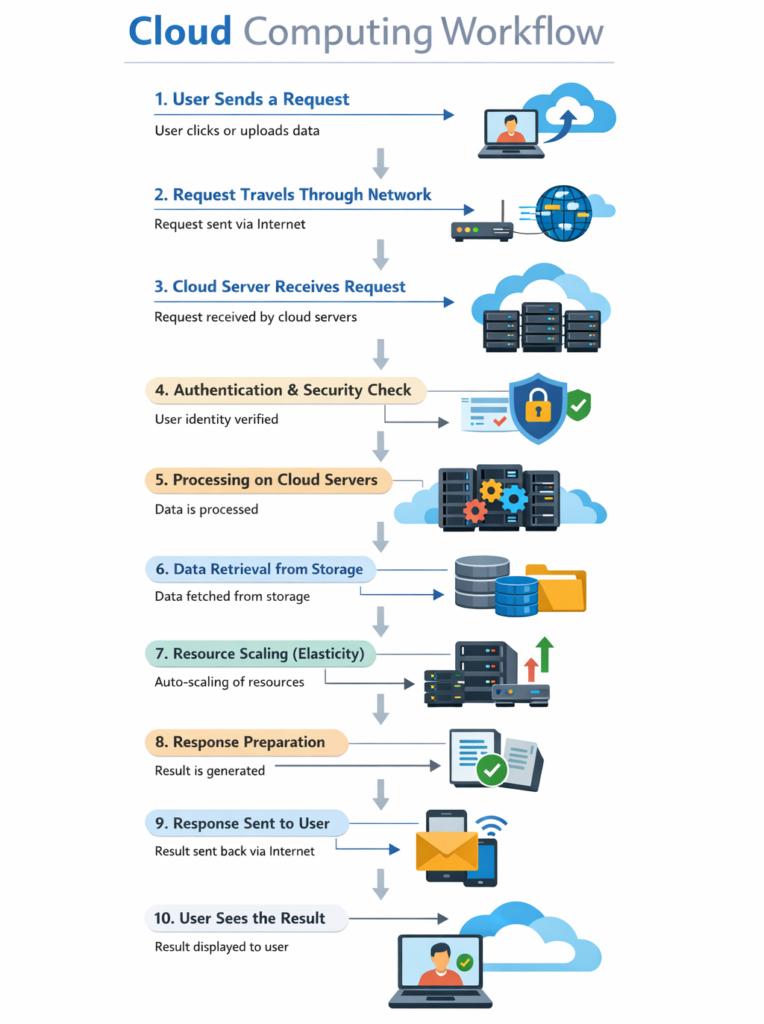
Step 1: User Sends a Request
The process begins when a user interacts with a cloud-based application.
What Happens Here
- User Action: Clicks, searches, uploads files, or logs in
- Request Creation: Device generates a request and sends it over the internet
Step 2: Request Travels Through the Network
The request is transmitted through the internet to reach cloud infrastructure.
What Happens Here
- Internet Transfer: Data travels from the user device to the cloud provider
- Routing: Network systems direct the request to the correct destination
Step 3: Cloud Server Receives the Request
Cloud servers accept and analyze the incoming request.
What Happens Here
- Request Reception: Server receives the request
- Service Identification: Determines which application or service should respond
Step 4: Authentication and Security Check
Security mechanisms verify the identity and permissions of the user.
What Happens Here
- Authentication: Confirms user identity (login credentials, tokens)
- Authorization: Determines access rights to resources
Step 5: Processing Starts on Cloud Servers
After validation, cloud systems begin executing the requested task.
What Happens Here
- Computation: Servers process the request using computing power
- Application Execution: Requested software performs required operations
Step 6: Data Retrieval from Storage or Database
If needed, data is fetched from cloud storage or databases.
What Happens Here
- Data Access: Retrieve files, records, or application data
- Data Transfer: Information is sent to processing systems
Step 7: Resource Scaling (Elasticity)
Cloud systems automatically adjust resources based on demand.
What Happens Here
- Auto Scaling: Adds or removes servers dynamically
- Load Balancing: Distributes traffic across multiple servers
Step 8: Response Preparation
Once processing is complete, the system prepares the output.
What Happens Here
- Output Creation: Final result is generated
- Formatting: Data is structured for display (web page, app view, etc.)
Step 9: Response Sent Back to User
The processed result travels back to the user’s device.
What Happens Here
- Data Transmission: Response is sent through the internet
- Fast Delivery: Results arrive within milliseconds
Step 10: User Sees the Result
The final output is displayed on the user’s screen.
What Happens Here
- Display: Application shows results (file, page, message)
- Continuous Interaction: User can continue using the service
Core Concepts Behind Cloud Computing
These concepts explain why cloud computing is efficient and powerful.
Virtualization
- Enables multiple virtual machines on a single physical server
- Improves hardware utilization and flexibility
Resource Pooling
- Resources are shared securely among multiple users
- Ensures efficient service delivery
Rapid Elasticity
- Automatically scales resources up or down
- Maintains performance during demand changes
Measured Service
- Tracks resource usage
- Supports cost-effective, pay-per-use pricing
Real-World Example
Example: Using Google Docs
- User opens a document in a browser
- Request is sent to cloud servers
- System checks authentication
- Data is retrieved from cloud storage
- Server processes and loads the document
- User sees and edits the document instantly
Benefits of This Step-by-Step Process
This workflow provides major advantages in modern IT systems.
- Speed: Fast processing and response time
- Scalability: Supports millions of users simultaneously
- Accessibility: Access services from anywhere
- Efficiency: Uses resources only when needed
- Reliability: Ensures consistent performance and uptime
Conclusion
Cloud computing works through a structured process of receiving user requests, transmitting them over the internet, processing them on powerful cloud servers, retrieving necessary data, and delivering results back to the user. This seamless workflow enables modern applications to be fast, scalable, secure, and highly efficient.