












Key Features of Infrastructure as a Service (IaaS)
Infrastructure as a Service (IaaS) is a cloud service model that provides virtualized computing resources over the internet. With Infrastructure as a Service (IaaS), businesses can scale servers, storage, and networking without investing in physical hardware. Understanding key features of Infrastructure as a Service (IaaS) helps organizations improve flexibility, reduce costs, and optimize IT performance.
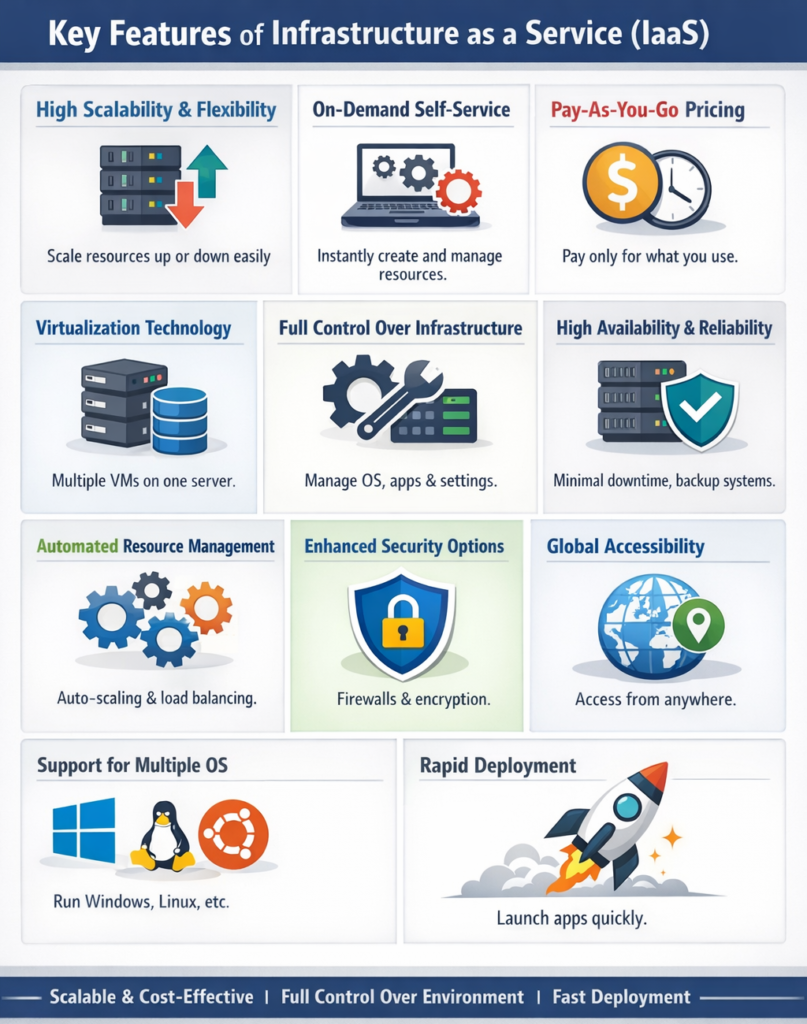
Let explain each key feature of Infrastructure as a Service (IaaS) in detail
1. High Scalability and Flexibility
IaaS allows users to easily scale resources up or down based on their needs, making it ideal for dynamic workloads.
How It Works
Users can increase or decrease:
-
Server capacity
-
Storage space
-
Network bandwidth
Example
An e-commerce website can scale up servers during a sale and reduce them afterward to save cost.
2. On-Demand Self-Service
IaaS provides users with the ability to access and manage resources whenever needed without human interaction from the provider.
Key Points
-
Resources can be created instantly
-
No waiting for hardware setup
-
Full control through dashboards
Example
A student can launch a virtual machine within minutes for a project without needing physical hardware.
3. Pay-As-You-Go Pricing
IaaS follows a usage-based pricing model, meaning users only pay for what they use.
Benefits
-
No upfront investment
-
Cost-effective for startups
-
Better budget management
Example
A company pays only for the hours a server is running instead of buying expensive equipment.
4. Virtualization Technology
Virtualization is the backbone of IaaS, allowing multiple virtual machines to run on a single physical server.
How It Helps
-
Efficient resource utilization
-
Isolation between users
-
Faster deployment
Example
One physical server can host multiple virtual servers for different users.
5. Full Control Over Infrastructure
IaaS provides users with maximum control over their computing environment.
What You Control
-
Operating systems
-
Installed software
-
Applications
-
Security settings
Example
A developer can install custom software and configure the system as needed.
6. High Availability and Reliability
IaaS providers ensure that services are available most of the time with minimal downtime.
Key Features
-
Backup systems
-
Redundant servers
-
Disaster recovery options
Example
If one server fails, another automatically takes over to keep the service running.
7. Automated Resource Management
IaaS platforms include automation tools to manage resources efficiently.
Features
-
Auto-scaling
-
Load balancing
-
Monitoring tools
Example
Traffic on a website increases, and additional servers are automatically added.
8. Enhanced Security Options
IaaS providers offer multiple security features to protect data and applications.
Security Measures
-
Firewalls
-
Encryption
-
Identity and access management
Example
A company can restrict access to its servers using authentication and security rules.
9. Global Accessibility
IaaS services are accessible from anywhere in the world through the internet.
Benefits
-
Remote work support
-
Global deployment
-
Easy collaboration
Example
A developer in one country can access servers hosted in another country.
10. Support for Multiple Operating Systems
IaaS allows users to run different operating systems on virtual machines.
Examples
-
Windows
-
Linux
-
Ubuntu
Benefit
Users can choose the OS that best suits their application.
11. Resource Pooling
IaaS providers pool computing resources to serve multiple users efficiently.
How It Works
-
Resources are shared among users
-
Dynamically allocated based on demand
Example
Multiple businesses use the same physical infrastructure without affecting each other.
12. Rapid Deployment
IaaS enables quick setup and deployment of applications and infrastructure.
Benefits
-
Saves time
-
Faster project execution
-
Immediate availability
Example
A startup can launch its application within hours instead of weeks.
Why These Features Matter
Understanding these features helps users make better decisions when choosing cloud services.
For Students
-
Builds strong conceptual understanding
-
Helps in exams and interviews
For Developers
-
Enables efficient development
-
Provides flexibility and control
For Businesses
-
Reduces costs
-
Improves scalability
-
Enhances performance
Conclusion
IaaS offers a wide range of features that make it a flexible and powerful cloud computing model.
-
Scalable and cost-effective
-
Provides full control
-
Supports rapid deployment
These features make IaaS an ideal choice for modern computing needs, from student projects to enterprise-level applications.