












Advantages and Disadvantages of Community Cloud
Understanding the advantages and disadvantages of community cloud helps organizations choose the right deployment model based on their needs, budget, and security requirements.
Community cloud is a cloud deployment model in which cloud infrastructure (and/or the cloud services delivered on it) is used exclusively by a defined community of organizations that share concerns such as mission, security requirements, policy, and compliance obligations. This model can be owned/managed by one or more community members, a third party, or a combination, and can be deployed on-premises (“on-site”) or off-premises (“outsourced”).
Analytically, community cloud sits between private and public cloud on several dimensions:
- It can deliver better alignment with sector-specific controls (e.g., government security baselines, healthcare privacy requirements) than generic public cloud environments by narrowing tenancy to eligible participants and standardizing governance across the community.
- It can provide cost advantages over isolated private clouds through cost sharing of fixed overheads (security tooling, compliance audits, specialized network connectivity, platform engineering), while typically preserving more policy control than a general public cloud tenancy.
- The principal disadvantages are governance complexity, shared-risk coupling (policy, identity, and network dependencies), and—in many real implementations—feature/region lag relative to hyperscale public clouds, plus portability/exit challenges.
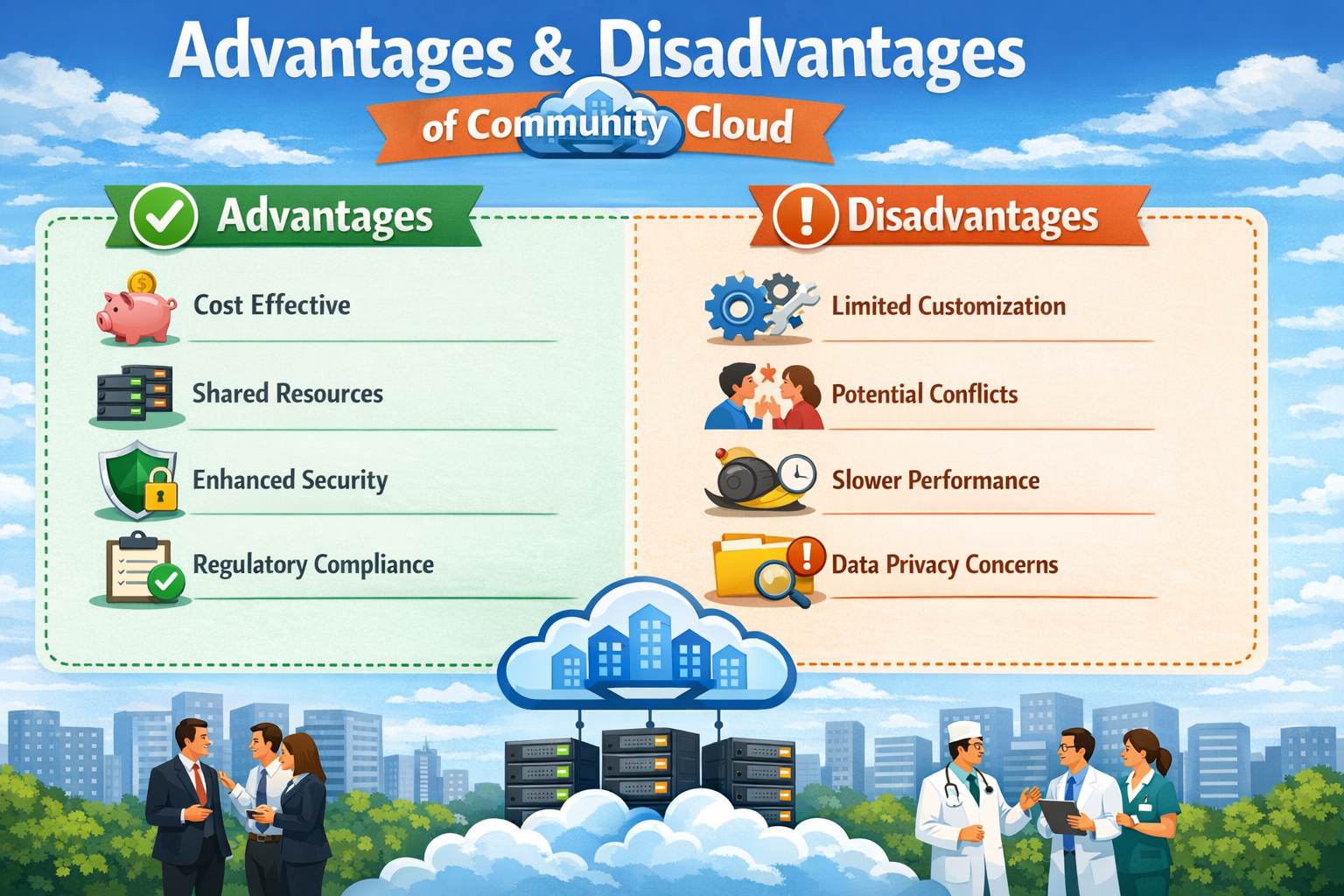
Let us explain the advantages and disadvantages of community cloud in detail.
Advantages of Community Cloud
Community cloud provides a balanced solution for organizations that share similar goals, security needs, and compliance requirements. It combines the benefits of cost savings, collaboration, and security, making it ideal for industries like education, healthcare, and government.
1. Cost Efficiency
Community cloud significantly reduces infrastructure costs by allowing multiple organizations to share resources instead of investing individually.
Benefits
- Shared Investment: The cost of servers, storage, and networking is divided among all participating organizations.
- Lower Individual Cost: Each organization spends much less compared to building and maintaining a private cloud.
- Efficient Resource Utilization: Resources are used collectively, reducing idle capacity and wastage.
Example
A group of universities uses a shared cloud platform for online learning systems instead of setting up separate infrastructures.
2. Enhanced Security
Community cloud offers stronger security than public cloud because access is restricted to a specific group of trusted organizations.
Benefits
- Controlled Access: Only authorized members of the community can access the system.
- Shared Security Policies: All organizations follow common security standards and protocols.
- Improved Data Protection: Sensitive information is stored and managed within a secure, trusted environment.
Example
Healthcare organizations share a secure cloud system to store patient data while maintaining strict privacy standards.
3. Improved Collaboration
Community cloud promotes collaboration by providing a shared platform where organizations can work together efficiently.
Benefits
- Easy Data Sharing: Members can securely share data and resources.
- Teamwork Enhancement: Encourages cooperation between different organizations.
- Support for Joint Projects: Ideal for research, development, and innovation initiatives.
Example
Research institutions collaborate on scientific projects using a common cloud platform for data sharing and analysis.
4. Compliance Support
Community cloud is designed to meet industry-specific regulations, making it easier for organizations to stay compliant.
Benefits
- Regulatory Compliance: Built to follow industry laws and standards such as healthcare or financial regulations.
- Data Governance: Ensures proper handling, storage, and processing of sensitive data.
- Audit and Monitoring Support: Simplifies reporting and auditing processes.
Example
Banks use community cloud systems to meet financial regulations while securely managing customer data.
5. Customization for Specific Needs
Community cloud allows customization based on the shared requirements of the participating organizations.
Benefits
- Tailored Infrastructure: Designed specifically for the needs of a particular industry or group.
- Flexible Configuration: Settings and services can be adjusted according to user requirements.
- Optimized Performance: Supports specialized applications and workloads efficiently.
Example
Educational institutions customize cloud platforms for e-learning, research tools, and student management systems.
Disadvantages of Community Cloud
Despite its many advantages, community cloud also has certain limitations. Since it is a shared environment, organizations must compromise on control, flexibility, and performance. Understanding these disadvantages helps in making better cloud deployment decisions.
1. Limited Flexibility
Community cloud is designed for shared requirements, which makes it less flexible for organizations with unique or specialized needs.
Challenges
- Standardized Environment: The system is built for common use cases, not individual preferences.
- Limited Customization: Changes must be approved and aligned with all participating organizations.
- Restricted Adaptability: Difficult to implement unique features or configurations.
Example
An organization with highly specific software or infrastructure requirements may struggle to adapt within a shared cloud system.
2. Shared Control
In a community cloud, control is distributed among multiple organizations, which can complicate decision-making.
Challenges
- Complex Decision-Making: All members must agree on major changes or updates.
- Governance Issues: Managing policies and rules across multiple organizations can be difficult.
- Slower Processes: Approvals and implementations take more time due to coordination.
Example
A new feature or upgrade may be delayed because all participating organizations need to reach a consensus.
3. Security Risks from Multiple Users
Although community cloud is generally secure, the shared nature introduces potential risks.
Challenges
- Multiple Access Points: More users increase the chances of security vulnerabilities.
- Shared Responsibility: Security depends on the practices of all participating organizations.
- Risk of Weak Links: A security gap in one organization can affect the entire system.
Example
If one organization fails to follow proper security protocols, it can expose the shared cloud environment to risks.
4. Management Complexity
Managing a community cloud environment is more complex due to the involvement of multiple organizations.
Challenges
- Complex Administration: Requires coordination between different entities.
- Monitoring Difficulties: Tracking usage, performance, and security across users is challenging.
- Operational Overhead: Managing shared infrastructure requires additional effort and planning.
Example
A central authority must handle resource allocation, maintenance, and monitoring for all participating organizations.
5. Performance Variability
Since resources are shared, performance may not always be consistent.
Challenges
- Resource Sharing Impact: High usage by one organization can affect others.
- Workload Imbalance: Uneven distribution of workloads can reduce efficiency.
- Limited Performance Control: Organizations cannot fully control system speed and responsiveness.
Example
If one organization uses a large amount of computing power, it may slow down applications for other users.
Top 5 FAQs (Interview & Exam Focused)
1. What is the main advantage of community cloud?
The main advantage is cost sharing along with improved collaboration. It allows organizations with similar needs to share infrastructure securely.
2. Why is community cloud cost-effective?
Because infrastructure and operational costs are shared among multiple organizations. This reduces the financial burden on each participant.
3. What is the biggest disadvantage of community cloud?
The biggest disadvantage is shared control and decision-making complexity. Organizations must agree on changes, which can slow down processes.
4. Is community cloud secure?
Yes, it is more secure than public cloud due to restricted access. However, security depends on all participating organizations.
5. Who should use community cloud?
Organizations with similar requirements like healthcare, education, and government. It is ideal for groups needing collaboration and compliance.
Conclusion
Community cloud provides a balanced and practical solution for organizations that share common goals, security requirements, and regulatory needs. It allows multiple organizations to work together on a shared platform while reducing overall infrastructure costs.
- Cost-Effective and Collaborative: Organizations save money by sharing resources and can collaborate more efficiently on joint projects.
- Secure and Compliant: Offers controlled access and supports industry-specific regulations, making it suitable for sensitive environments.
- Limited Flexibility and Shared Control: Requires compromise in customization and decision-making due to its shared nature.
Understanding both the advantages and disadvantages of community cloud helps organizations make informed decisions and choose the most suitable cloud deployment model based on their specific requirements.