












Public vs Private vs Hybrid Cloud Overview
Cloud deployment models define how cloud infrastructure is set up and used. The three main models are Public Cloud, Private Cloud, and Hybrid Cloud, each offering different levels of security, control, and scalability.
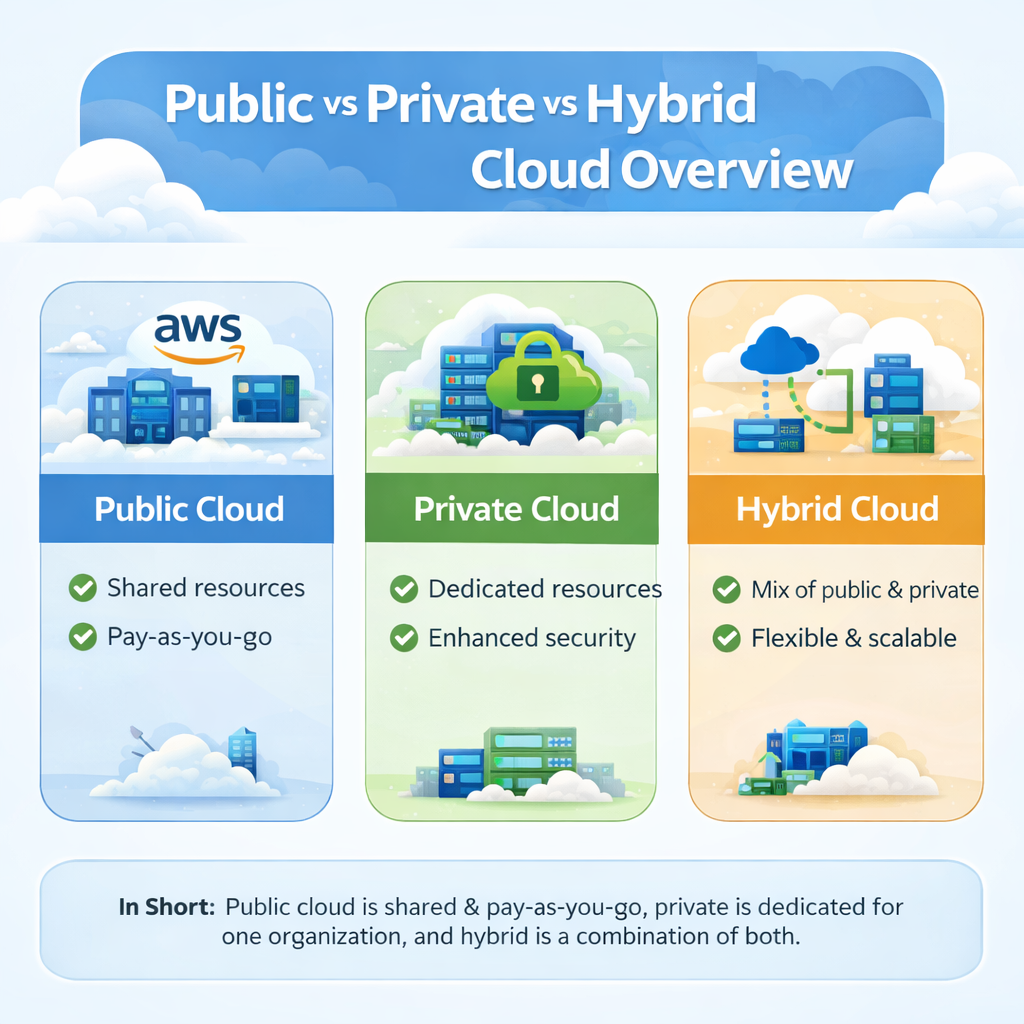
What are Public, Private, and Hybrid Cloud?
These models define how cloud environments are structured based on ownership, access, and usage.
Public, Private, and Hybrid cloud are different cloud deployment models that define how cloud environments are owned, accessed, and used. Each model offers a unique balance of cost, control, security, and scalability, helping organizations choose the most suitable solution for their needs.
- Public Cloud: Shared cloud services available over the internet and managed by third-party providers.
- Private Cloud: Dedicated cloud environment used by a single organization with full control.
- Hybrid Cloud: Combination of public and private cloud to balance flexibility and security.
Why Understanding These Models is Important
Understanding these models helps organizations make better decisions for performance, cost, and security.
Choosing the right deployment model is essential for designing efficient and reliable cloud systems. Here are some key points.
- Security Needs: Sensitive data requires controlled and secure environments like private cloud.
- Cost Efficiency: Public cloud reduces infrastructure cost, while hybrid optimizes spending.
- Scalability: Ensures systems can grow and handle increasing workloads.
- Flexibility: Organizations can choose the best model based on workload requirements.
- Performance Optimization: Different models help achieve better speed and efficiency.
1. Public Cloud
Public cloud provides shared, internet-based services managed by third-party providers.
Public cloud is a cloud environment where resources are shared among multiple users and managed by third-party providers. It is widely used for applications requiring scalability and cost efficiency.
Key Features
These features define how public cloud operates and delivers services efficiently.
- Shared Infrastructure: Multiple users share servers, storage, and networking resources efficiently.
- Third-Party Management: Cloud providers handle maintenance, updates, and infrastructure management.
- Global Access: Services are available over the internet from anywhere in the world.
- Elastic Resources: Resources can be scaled up or down automatically.
- On-Demand Services: Users can access resources instantly without setup delays.
Advantages
These benefits make public cloud popular for modern applications and businesses.
- Cost Effective: No need to invest in hardware or infrastructure.
- Highly Scalable: Easily handle increasing workloads and traffic.
- Easy Setup: Quick deployment of applications and services.
- Low Maintenance: Provider manages system updates and operations.
- Global Reach: Supports worldwide access and service delivery.
Disadvantages
These limitations should be considered when using public cloud environments.
- Less Control: Limited customization and control over infrastructure.
- Security Concerns: Shared environment may introduce potential risks.
- Performance Variability: Shared resources can affect performance during peak usage.
- Compliance Issues: May not meet strict regulatory requirements in some industries.
2. Private Cloud
Private cloud offers a secure and dedicated environment for a single organization.
Private cloud is a dedicated cloud environment used by a single organization, offering maximum control, customization, and security.
Key Features
These features highlight the controlled and secure nature of private cloud.
- Single Organization Usage: Resources are not shared with other users.
- High Security: Strong data protection and access control mechanisms.
- Customizable Environment: Infrastructure can be tailored to specific needs.
- Dedicated Resources: Ensures consistent performance and reliability.
- Controlled Access: Only authorized users can access the system.
Advantages
These advantages make private cloud ideal for sensitive and critical workloads.
- Full Control: Organizations manage infrastructure, configurations, and policies.
- Enhanced Security: Ideal for handling sensitive and confidential data.
- Better Compliance: Meets regulatory and industry standards easily.
- Stable Performance: No resource sharing ensures consistent performance.
- Customization: Systems can be designed according to business requirements.
Disadvantages
These challenges should be considered when implementing private cloud.
- Higher Cost: Requires investment in infrastructure and maintenance.
- Maintenance Required: Needs skilled staff for management and updates.
- Limited Scalability: Expansion may require additional hardware.
- Complex Setup: Initial setup and configuration can be challenging.
3. Hybrid Cloud
Hybrid cloud provides a flexible environment by combining public and private cloud systems.
Hybrid cloud combines public and private cloud environments, allowing organizations to use the benefits of both models.
Key Features
These features explain how hybrid cloud integrates and operates across environments.
- Combined Environment: Integrates public and private cloud systems.
- Data Integration: Data and applications can move between environments.
- Flexible Workloads: Choose where to run workloads based on needs.
- Scalable Expansion: Public cloud supports additional demand.
- Centralized Management: Unified control across both environments.
Advantages
These benefits make hybrid cloud a balanced solution for modern organizations.
- Balanced Approach: Combines cost efficiency of public cloud with security of private cloud.
- Scalability: Public cloud handles peak loads and traffic spikes.
- Flexibility: Workloads can be distributed based on performance and security needs.
- Cost Optimization: Reduces cost by using public cloud for non-sensitive tasks.
- Improved Performance: Optimizes resource usage across environments.
Disadvantages
These limitations highlight the complexity of managing hybrid cloud systems.
- Complex Management: Requires proper integration and coordination between environments.
- Security Challenges: Needs consistent security policies across both clouds.
- Integration Issues: Connecting systems can be technically complex.
- Higher Setup Effort: Initial configuration and planning require expertise.
Key Differences Between Public, Private, and Hybrid Cloud
This comparison highlights how each cloud deployment model differs in terms of ownership, cost, security, scalability, and control, helping organizations choose the most suitable option. These differences provide a clear understanding of how each cloud model operates in real-world environments.
| Feature | Public Cloud | Private Cloud | Hybrid Cloud |
|---|---|---|---|
| Ownership | Managed by third-party cloud providers | Owned and managed by a single organization | Combination of provider and organization ownership |
| Cost | Low cost with pay-as-you-go model | High cost due to infrastructure and maintenance | Moderate cost with balanced usage |
| Security | Moderate security in shared environments | High security with dedicated resources | High security with controlled data separation |
| Scalability | Highly scalable with on-demand resources | Limited scalability depending on infrastructure | High scalability using public cloud expansion |
| Control | Low control over infrastructure | Full control over systems and configurations | Medium control with shared management |
When to Use Each Model
Selecting the right cloud deployment model depends on business goals, security requirements, budget, and workload type. Each model is suitable for specific use cases where it delivers the most value.
Use Public Cloud
Public cloud is ideal for applications that require high scalability, flexibility, and low cost without the need to manage infrastructure.
- Startups and Small Businesses: Suitable for organizations with limited budgets and need for quick setup.
- Websites and Mobile Apps: Best for applications with variable traffic and global access needs.
- Development and Testing: Provides fast and temporary environments for building and testing software.
- Content Delivery Platforms: Ideal for streaming, media, and online services with high user demand.
- Short-Term Projects: Useful for temporary workloads where long-term infrastructure is not required.
Use Private Cloud
Private cloud is best for organizations that require high security, control, and compliance for sensitive data and critical systems.
- Financial Institutions: Used for handling sensitive financial transactions and customer data securely.
- Healthcare Systems: Ensures protection of patient records and compliance with regulations.
- Government Organizations: Suitable for confidential data and national-level systems.
- Enterprise Applications: Ideal for mission-critical systems that require stable performance.
- Custom Workloads: Supports specialized applications needing tailored infrastructure.
Use Hybrid Cloud
Hybrid cloud is suitable for businesses that need a balance between scalability, flexibility, and security.
- Large Enterprises: Use hybrid cloud to manage complex and diverse workloads.
- Systems with Mixed Workloads: Sensitive data runs on private cloud, while general workloads use public cloud.
- E-Commerce Platforms: Use private cloud for transactions and public cloud for handling traffic.
- Seasonal Applications: Scale using public cloud during peak demand periods.
- Data Integration Systems: Combine on-premise, private, and public environments for flexibility.
Real-World Example
This example shows how organizations combine different cloud models to achieve better performance, security, and flexibility in real-world environments.
- Public Cloud for Hosting Websites: The company uses public cloud to run websites and applications that require high scalability and global access.
- Private Cloud for Sensitive Data: Critical data such as customer information and financial records are stored in a private cloud with strict security controls.
- Hybrid Cloud Integration: Both environments are connected to allow smooth data flow and workload distribution between public and private systems.
- Optimized Workload Management: Non-sensitive tasks run on public cloud, while secure operations remain in private cloud.
- Scalable Operations: Public cloud handles traffic spikes, while private cloud maintains stable core systems.
- Improved Efficiency: Resources are used effectively, reducing cost while maintaining performance and security.
- Business Flexibility: The organization can adapt quickly to changing demands by using the right cloud model for each task.
Benefits of Understanding These Models
Understanding cloud deployment models helps organizations make informed decisions about infrastructure, cost, security, and performance. It enables businesses to choose the most suitable cloud strategy for their specific needs.
- Better Planning: Helps select the right deployment model based on business goals, workload type, and technical requirements.
- Cost Optimization: Allows efficient use of resources and prevents unnecessary spending on infrastructure.
- Improved Security: Ensures sensitive data is placed in secure environments with proper access control.
- Scalability: Supports business growth by enabling systems to handle increasing users and workloads.
- Flexibility: Allows organizations to adapt and switch between models as needs change.
- Performance Optimization: Helps choose the best model for faster processing and reliable service delivery.
Conclusion
Public, private, and hybrid cloud models each provide unique advantages based on cost, security, scalability, and control requirements. Public cloud offers flexibility and cost efficiency, private cloud ensures maximum security and control, while hybrid cloud combines the strengths of both for balanced performance. By understanding their differences and use cases, organizations can select the most suitable deployment model to build efficient, secure, and scalable cloud solutions that meet modern business needs.