












Multi-Cloud vs Hybrid Cloud Differences
Multi-cloud and hybrid cloud are two important cloud strategies, but they are often confused. Both involve using multiple environments, yet they serve different purposes. Understanding the difference between multi-cloud and hybrid cloud helps students and professionals choose the right approach.
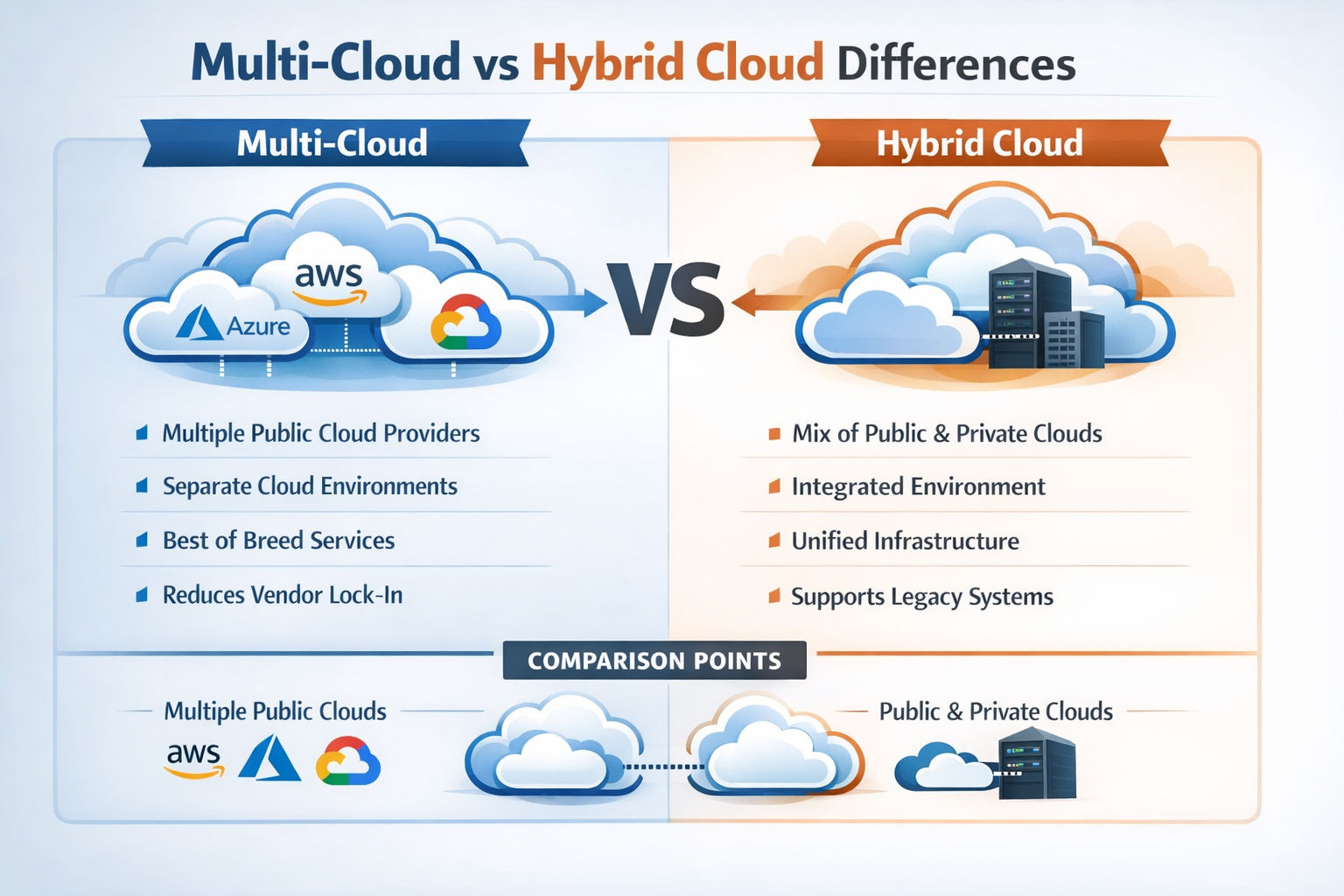
What Is Multi-Cloud?
Multi-cloud is a cloud strategy where an organization uses multiple cloud service providers at the same time, such as Amazon Web Services (AWS), Microsoft Azure, and Google Cloud.
Key Idea
- Multiple Providers: Organizations use services from more than one public cloud platform.
- No Vendor Lock-In: Reduces dependence on a single provider, increasing flexibility.
- Independent Environments: Each cloud may operate separately without direct integration.
What Is Hybrid Cloud?
Hybrid cloud is a cloud deployment model that combines private cloud and public cloud into a single connected system.
Key Idea
- Combination of Environments: Uses both private and public cloud together.
- Connected System: Both environments are integrated and work as one system.
- Data Sharing: Applications and data can move between private and public cloud.
Key Differences Between Multi-Cloud and Hybrid Cloud
Multi-cloud and hybrid cloud differ in structure, purpose, and how they are implemented in real-world scenarios.
| Feature | Multi-Cloud | Hybrid Cloud |
|---|---|---|
| Definition | Uses multiple cloud providers | Combines private and public cloud environments |
| Cloud Types Used | Mainly multiple public clouds | Private + public cloud |
| Integration | Clouds may operate independently | Fully integrated and connected system |
| Main Purpose | Avoid vendor lock-in, increase flexibility | Balance security and scalability |
| Data Movement | Data usually stays within each provider | Data moves between private and public cloud |
| Complexity | Managing multiple providers and tools | Managing integration, networking, and synchronization |
| Use Case Focus | Performance optimization, service selection | Sensitive + non-sensitive workload management |
| Control Level | Limited control (depends on providers) | High control over private cloud, shared control in public |
| Security Approach | Depends on each provider separately | Strong security via private cloud + public cloud flexibility |
| Cost Strategy | Cost optimization by choosing best provider pricing | Cost balance by using private for critical and public for scaling |
| Deployment Structure | Separate environments across providers | Unified environment combining both clouds |
| Scalability | High (across multiple providers) | High (mainly via public cloud) |
| Vendor Dependency | Very low (no single vendor reliance) | Partial dependency (public cloud provider involved) |
| Management Tools | Requires multiple dashboards/tools | Requires integration tools and orchestration systems |
| Disaster Recovery | Can distribute backups across providers | Can use public cloud for backup and recovery |
| Flexibility | Very high (choose best services from each provider) | Moderate (depends on integration setup) |
| Performance Optimization | Optimize by selecting best provider per workload | Optimize by distributing workloads between environments |
Real-World Example
Multi-Cloud Example
In a multi-cloud setup, an organization uses different cloud providers for different purposes, and each operates independently.
- AWS for Hosting: Runs websites and applications
- Google Cloud for Analytics: Processes big data and insights
- Microsoft Azure for Enterprise Tools: Handles business applications like identity and management
Key Point: Each cloud platform works separately without deep integration.
Hybrid Cloud Example
In a hybrid cloud setup, private and public cloud environments are connected and work together.
- Private Cloud: Stores sensitive data (e.g., customer records)
- Public Cloud: Runs applications and handles scalable workloads
- Connected System: Data and applications move between environments
Key Point: Both environments are integrated and share data seamlessly.
When to Use Multi-Cloud
Multi-cloud is ideal when flexibility and independence are the main goals.
- Avoid Vendor Lock-In: Do not depend on a single cloud provider
- Best Service Selection: Use the best features from different providers
- Distributed Applications: Run different parts of applications across multiple platforms
When to Use Hybrid Cloud
Hybrid cloud is suitable when security and integration are required.
- Security + Scalability: Keep sensitive data private while scaling on public cloud
- Mixed Workloads: Handle both sensitive and non-sensitive data efficiently
- On-Premise Integration: Connect existing systems with cloud infrastructure
Top 5 FAQs (Interview & Exam Focused)
1. What is the main difference between multi-cloud and hybrid cloud?
Multi-cloud uses multiple cloud providers, while hybrid cloud combines private and public cloud. Hybrid cloud focuses on integration, whereas multi-cloud focuses on flexibility.
2. Is multi-cloud better than hybrid cloud?
It depends on the organization’s needs.
Multi-cloud is better for flexibility and avoiding vendor lock-in, while hybrid cloud is better for security and integrated environments.
3. Can a system be both multi-cloud and hybrid cloud?
Yes. An organization can use multiple public clouds along with a private cloud, combining both strategies.
4. Which is more secure: multi-cloud or hybrid cloud?
Hybrid cloud is generally more secure because it includes a private cloud for sensitive data. Multi-cloud security depends on each provider’s security measures.
5. Which is easier to manage?
Both are complex. Hybrid cloud requires managing integration, while multi-cloud requires handling multiple providers and tools.
Conclusion
Multi-cloud and hybrid cloud are two important cloud strategies designed for different purposes.
- Multi-Cloud Focus: Flexibility, performance optimization, and vendor independence
- Hybrid Cloud Focus: Integration, security, and balanced workload management
- Combined Use: Both approaches can be used together for advanced and scalable cloud solutions
Understanding these differences helps organizations choose the most suitable cloud strategy for modern applications and business needs.