












Cloud Service Models Overview (IaaS, PaaS, SaaS)
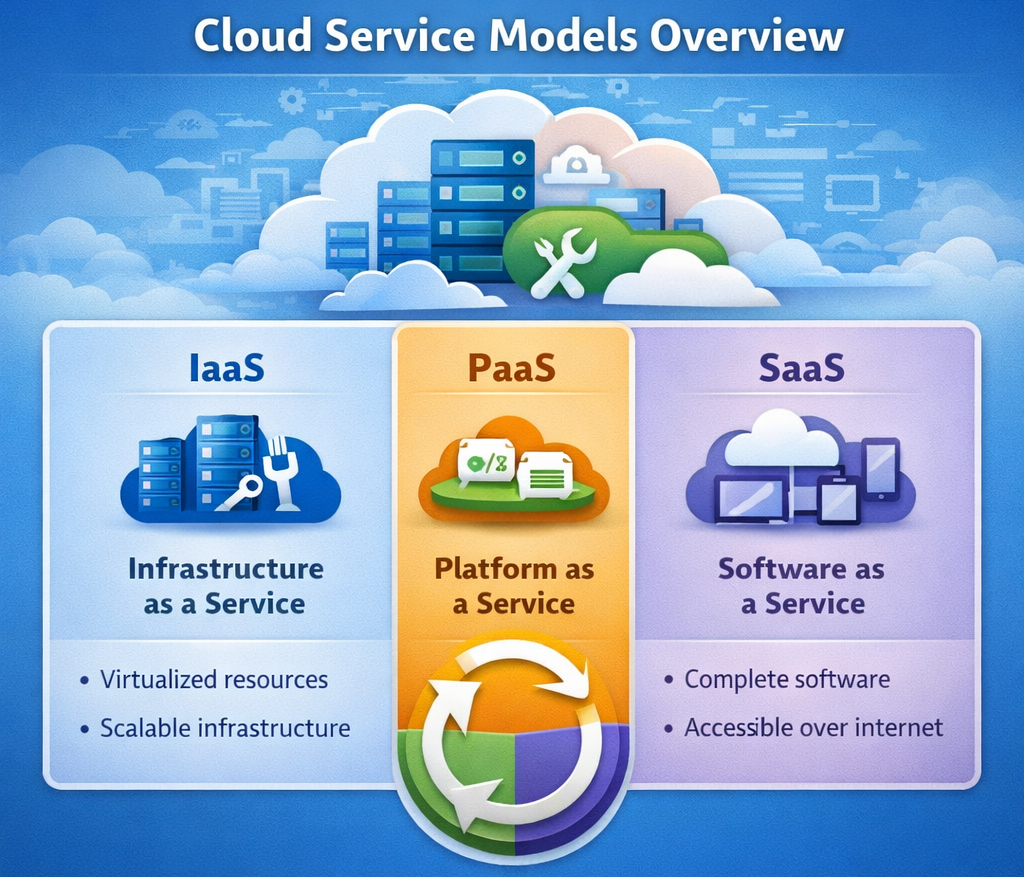
Cloud service models define how cloud services are delivered and how responsibilities are shared between the user and the provider. The three main models are IaaS, PaaS, and SaaS, each offering a different level of control, flexibility, and ease of use.
What are Cloud Service Models?
Cloud service models define how cloud resources are delivered, managed, and consumed, helping users choose the right level of control and responsibility.
- Service Layers: Cloud services are offered in different layers based on functionality.
- Shared Responsibility: Tasks are divided between user and provider.
- Flexible Usage: Users can select models based on their needs and expertise.
Why Cloud Service Models are Important
Understanding these models helps in building efficient, scalable, and cost-effective systems.
- Better Decision Making: Choose the most suitable service type.
- Cost Efficiency: Pay only for the required level of service.
- Scalability: Easily handle growth and changing workloads.
- Reduced Complexity: Simplify system setup and management.
Types of Cloud Service Models
There are three main cloud service models in cloud computing.
1. Infrastructure as a Service (IaaS)
IaaS provides basic infrastructure such as virtual machines, storage, and networking, giving users maximum control.
What You Get
These resources form the foundation of cloud infrastructure.
- Virtual Machines: Cloud-based servers for computing tasks.
- Storage: Space to store and manage data.
- Networking: Connectivity between cloud resources.
What You Manage
Users are responsible for managing system-level components.
- Operating System: Install, configure, and maintain OS.
- Applications: Manage software and updates.
- Security: Configure access control and protection.
What Provider Manages
The provider handles the physical and backend infrastructure.
- Hardware: Physical servers and networking equipment.
- Virtualization: Software that creates virtual environments.
- Data Centers: Facilities and infrastructure management.
Key Features
- High Control: Full control over environment and configurations.
- Scalability: Easily scale resources based on demand.
- Flexible Usage: Customize infrastructure as needed.
2. Platform as a Service (PaaS)
PaaS provides a development platform that allows users to build and deploy applications without managing infrastructure.
What You Get
These tools help developers create and run applications efficiently.
- Development Tools: Tools for coding, testing, and deployment.
- Runtime Environment: Platform to run applications.
- Database Services: Managed data storage solutions.
What You Manage
Users focus mainly on application-level tasks.
- Application Code: Develop and update applications.
- Data: Manage application data and logic.
What Provider Manages
The provider handles most backend operations.
- Infrastructure: Servers, storage, and networking.
- Operating System: Installation and updates.
- Middleware: Software that supports application execution.
Key Features
- Faster Development: Ready-to-use tools speed up coding.
- No Infrastructure Management: Backend is fully managed.
- Simplified Deployment: Easy application launch and scaling.
3. Software as a Service (SaaS)
SaaS provides ready-to-use applications that users can access over the internet without installation.
What You Get
Complete software solutions delivered via the cloud.
- Complete Applications: Fully functional software tools.
- Web Access: Accessible through browsers or apps.
What You Manage
Users manage only basic usage and preferences.
- User Settings: Configure application settings.
- Data Input: Manage personal or business data.
What Provider Manages
The provider handles everything else.
- Infrastructure, Updates, Security: Fully managed by provider.
Key Features
- Easy Access: No installation required.
- Automatic Updates: Always up to date.
- User-Friendly: Simple and easy to use.
Simple Comparison of IaaS, PaaS, SaaS
This comparison shows the key differences between the three models.
| Feature | IaaS | PaaS | SaaS |
|---|---|---|---|
| Control Level | High | Medium | Low |
| User Responsibility | OS, Apps, Data | Apps, Data | Only usage |
| Provider Role | Infrastructure | Platform + Runtime | Everything |
| Ease of Use | Complex | Moderate | Very Easy |
Deep Concept: Service Layer Approach
Cloud service models can be understood as layers, where responsibility decreases as you move upward.
IaaS Layer
Provides basic infrastructure building blocks with maximum user control and responsibility.
PaaS Layer
Provides a development platform where users focus on building applications instead of managing systems.
SaaS Layer
Provides complete software solutions where users simply use applications without managing infrastructure.
Real-World Example
This example shows how organizations use different cloud models together.
- IaaS: Used to host servers and infrastructure.
- PaaS: Used to develop and deploy applications.
- SaaS: Used for communication and collaboration tools.
This combination improves efficiency, flexibility, and performance.
Benefits of Cloud Service Models
Cloud service models offer multiple advantages for modern IT systems.
- Flexibility: Choose the right level of control and management.
- Scalability: Easily handle growth and workload changes.
- Cost Savings: Pay only for what you use.
- Efficiency: Reduce system management and operational effort.
Conclusion
Cloud service models (IaaS, PaaS, SaaS) provide different levels of control, flexibility, and management. Understanding these models helps organizations and students choose the best approach for building scalable, efficient, and cost-effective cloud solutions tailored to their needs.