












Rapid Elasticity and Scalability in Cloud
Rapid elasticity and scalability are key features of cloud computing that help systems handle changing workloads efficiently. They ensure that resources can grow or shrink based on demand, maintaining performance and cost control.
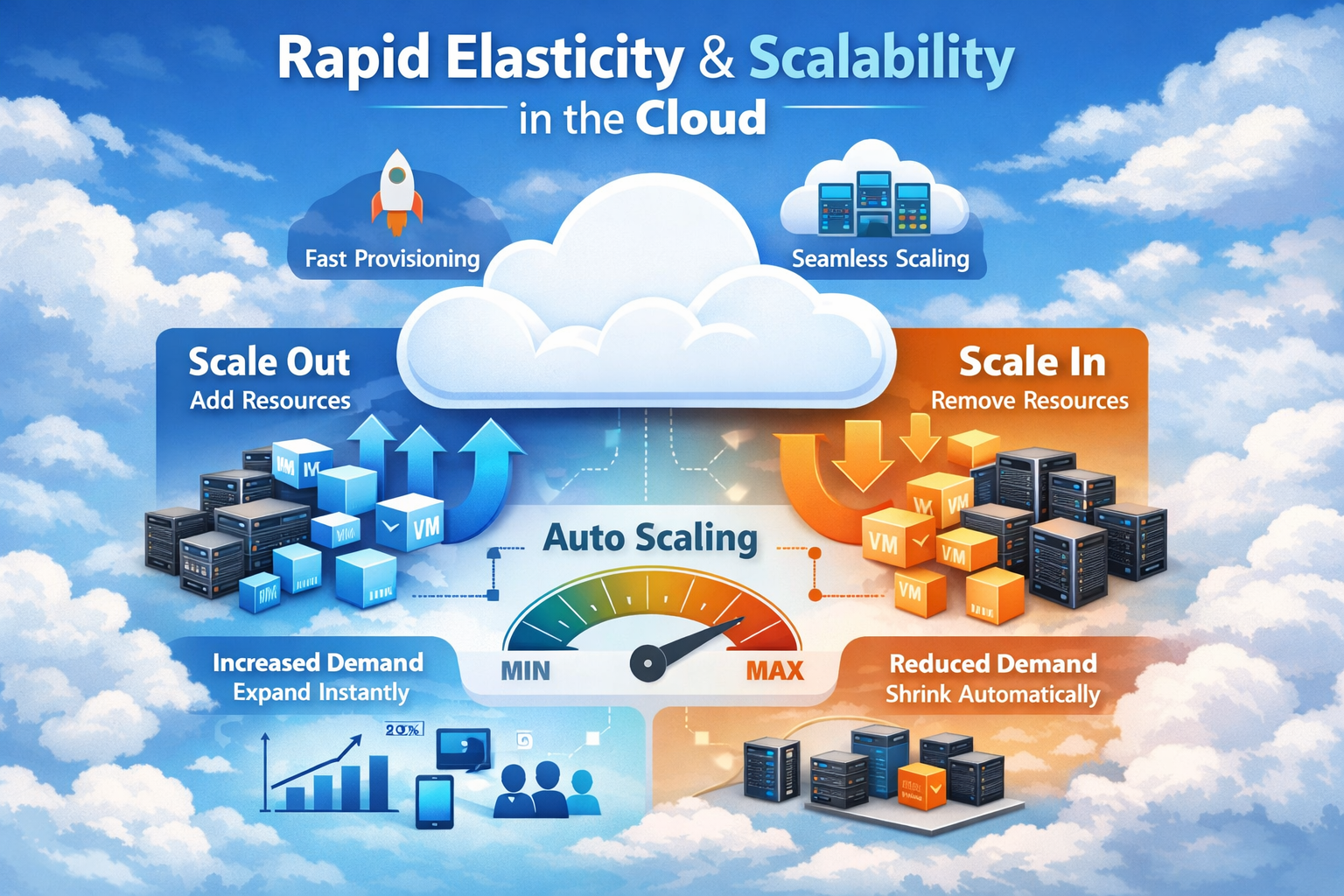
What is Scalability in Cloud Computing?
Scalability is the ability of a system to increase or decrease resources to manage workload changes effectively. It allows systems to handle growth without affecting performance.
Key Points
- Resource Expansion: Add more resources like CPU, storage, or servers when demand increases. This helps manage higher workloads smoothly.
- Resource Reduction: Reduce resources when demand decreases to avoid unnecessary usage. This improves cost efficiency.
- Performance Stability: Maintain consistent system performance even during workload changes. This ensures reliability and smooth operation.
Example
A website increases its server capacity during peak hours and reduces it during low traffic periods.
What is Rapid Elasticity?
Rapid elasticity is the ability of cloud systems to automatically adjust resources in real time based on workload demand. It focuses on speed and automation.
Key Points
- Automatic Adjustment: Resources are scaled up or down without manual intervention. This reduces effort and saves time.
- On-Demand Scaling: Resources are provisioned instantly when required. This ensures quick response to changing demands.
- Efficient Usage: Only required resources are used, preventing overuse or underuse. This optimizes cost and performance.
Example
During a sudden traffic spike, a cloud system instantly adds servers and removes them once demand decreases.
Difference Between Scalability and Elasticity
Scalability and elasticity are essential cloud computing concepts that help systems handle changing workloads efficiently. Understanding the difference between scalability and elasticity is important for optimizing performance, cost, and resource management in cloud environments.
| Feature | Scalability | Elasticity |
|---|---|---|
| Definition | Ability of a system to increase or decrease resources to handle workload changes | Ability to automatically adjust resources in real time based on demand |
| Focus | Focuses on system capacity and growth | Focuses on automation and dynamic adjustment |
| Nature | Can be manual or automatic | Fully automatic |
| Speed | Slower, planned scaling | Fast, real-time scaling |
| Resource Adjustment | Resources are added or removed based on need (not always instant) | Resources are instantly added or removed as demand changes |
| Usage Scenario | Long-term growth or predictable workload changes | Short-term, sudden traffic spikes or drops |
| Example | Upgrading a server or adding more servers for future growth | Auto-scaling during a sudden increase in website traffic |
Types of Scalability in Cloud Computing
There are two major types of scalabitlity in cloud computing .Cloud systems use different scaling methods to handle increasing workload and demand efficiently.
1. Vertical Scaling (Scale Up)
Vertical scaling means increasing the power of a single machine by adding more resources such as CPU, RAM, or storage. Instead of adding more servers, you make one server stronger.
How It Works
- Upgrade the existing server
- Add more memory (RAM), CPU, or storage
- Improve the performance of the same machine
Key Points
- Add Resources: Increase CPU, RAM, or disk capacity
- Limited Growth: Depends on maximum hardware capacity
- Simple to Implement: No major architecture changes
- Single Point System: Everything runs on one machine
Example
If a website becomes slow, you upgrade the server from 8GB RAM to 32GB RAM to handle more users.
2. Horizontal Scaling (Scale Out)
Horizontal scaling means adding more machines (servers) instead of upgrading a single one. The workload is distributed across multiple systems to improve performance and reliability.
How It Works
- Add multiple servers to the system
- Use load balancing to distribute traffic
- Each server handles part of the workload
Key Points
- Add Servers: Increase number of machines
- High Scalability: Can grow almost unlimited
- Better Reliability: Failure of one server doesn’t stop system
- Complex Setup: Requires load balancing and distributed systems
Example
A large website like an e-commerce store uses multiple servers to handle thousands of users at the same time.
Key Difference in Vertical and Horizontal Scaling
Here are top key differnce in horizonal and vertical scalling
| Feature | Vertical Scaling | Horizontal Scaling |
|---|---|---|
| Method | Upgrade one machine | Add multiple machines |
| Limit | Hardware limit | Almost unlimited |
| Complexity | Simple | More complex |
| Reliability | Lower (single system) | Higher (multiple systems) |
| Example | Increase RAM | Add more servers |
How Rapid Elasticity Works
Rapid elasticity works by automatically increasing or decreasing cloud resources based on workload demand. This helps cloud systems maintain good performance without wasting resources. Let explain the step-by-step process
1. System Monitors Workload Continuously
The cloud system keeps checking resource usage such as CPU, memory, network traffic, or number of users. This monitoring helps the system understand whether the workload is low, normal, or high.
2. Detects Increase or Decrease in Demand
When the system notices a sudden increase in traffic or processing needs, it detects that more resources are required. In the same way, if demand becomes low, it identifies that fewer resources are needed.
3. Automatically Adjusts Resources
After detecting the change, the cloud platform automatically adds or removes resources. This may include starting new servers, increasing storage, or reducing unused resources without manual effort.
4. Maintains Performance and Efficiency
By adjusting resources quickly, the system keeps applications running smoothly and avoids slow performance. At the same time, it improves efficiency by using only the resources that are actually needed.
| Simple Example: During an online sale, a shopping website gets many more visitors than usual. The cloud system automatically adds more servers to handle the extra traffic. When the sale ends and traffic drops, the extra servers are removed. |
Key Features of Elasticity and Scalability
Here are the top key features of elasticity and scalability that make cloud systems efficient and flexible.
- Automatic Scaling: Cloud systems automatically increase or decrease resources based on real-time demand. This removes the need for manual intervention and ensures smooth system operation.
- Cost Efficiency: Users pay only for the resources they actually use, avoiding unnecessary expenses. This helps businesses manage budgets effectively and reduce overall costs.
- High Availability: Systems remain accessible even during sudden traffic spikes or heavy workloads. Resources are distributed to prevent downtime and service interruptions.
- Performance Optimization: Resources are adjusted dynamically to maintain fast system performance. This ensures quick response times and a smooth user experience.
- Flexibility: Cloud systems can easily adapt to changing workloads and business needs. This allows organizations to scale resources up or down as required.
- Scalability: Systems can handle growth by adding more resources or servers when needed. This supports long-term expansion without affecting performance.
- Rapid Elasticity: Resources can be quickly provisioned and released in real time. This ensures that systems respond instantly to workload changes.
- Load Balancing: Workload is distributed across multiple servers to avoid overloading a single system. This improves reliability and system stability.
- Resource Optimization: Cloud platforms efficiently utilize available resources to avoid waste. This ensures maximum performance with minimum cost.
- On-Demand Resource Provisioning: Users can access and allocate resources whenever needed without delays. This enables faster deployment and operations.
Benefits of Rapid Elasticity and Scalability
These features provide major advantages in cloud computing by ensuring systems remain efficient, responsive, and cost-effective.
- Improved Performance: Cloud systems can handle large workloads by automatically adding resources when demand increases. This ensures applications run smoothly without slowdowns or delays.
- Cost Savings: Resources are used only when needed, so users avoid paying for unused capacity. This helps reduce overall operational and infrastructure costs.
- Flexibility: Systems can easily adapt to changing workloads by scaling up or down as required. This allows businesses to respond quickly to growth or reduced demand.
- Better User Experience: Applications remain fast and responsive even during high traffic. This provides users with a smooth and uninterrupted experience.
- Efficient Resource Utilization: Resources are allocated based on real-time needs, reducing waste. This improves overall system efficiency and performance.
- Business Continuity: Systems can handle unexpected spikes in demand without crashing. This ensures services remain available at all times.
- Faster Deployment: New resources can be added instantly when needed. This speeds up application deployment and scaling processes.
Challenges in Elasticity and Scalability
These features are powerful, but they also require proper planning and management to avoid issues.
- Complex Configuration: Setting up auto-scaling, load balancing, and resource rules can be complicated. It requires proper planning, architecture design, and technical expertise.
- Cost Spikes: Sudden increases in usage can automatically scale resources, leading to higher costs. Without monitoring, bills can grow unexpectedly.
- Monitoring Needs: Continuous tracking of performance, usage, and scaling activities is required. Without proper monitoring tools, it becomes difficult to control systems efficiently.
- Resource Management Issues: Improper scaling rules may allocate too many or too few resources. This can lead to wasted costs or poor performance.
- Latency and Synchronization: In distributed systems, data consistency and communication between servers can cause delays. This may affect system responsiveness.
- Dependency on Automation: Systems rely heavily on automation for scaling decisions. Incorrect configurations can lead to wrong scaling actions.
- Security Challenges: Scaling across multiple servers increases the attack surface. Managing security across all resources becomes more complex.
Real-World Example of Elasticity and Scalability
An e-commerce website experiences a sudden increase in traffic during a big sale event. Cloud systems use elasticity and scalability to handle this situation efficiently.
How It Works
- Automatic Resource Scaling: When traffic increases, the system automatically adds more servers to handle the load. This prevents slowdowns and ensures the website remains responsive.
- Load Distribution: The incoming traffic is distributed across multiple servers using load balancing. This avoids overloading a single server and improves reliability.
- Dynamic Resource Reduction: After the sale ends and traffic decreases, the extra servers are automatically removed. This helps avoid unnecessary costs.
Result
- Smooth Performance: Website runs without crashes or delays
- Cost Efficiency: Pay only for resources used during high traffic
- Better User Experience: Users can browse and shop without interruption
Conclusion
Rapid elasticity and scalability are essential features of cloud computing that enable systems to adapt to changing demands. They ensure efficient resource usage, cost optimization, and high performance, making them critical for modern cloud applications.