












Advantages and Disadvantages of Software as a Service (SaaS)
Software as a Service (SaaS) is a cloud computing model that delivers software applications over the internet. Users can access applications through a web browser without installing or maintaining them locally. Understanding the advantages and disadvantages of SaaS helps students, developers, and businesses make better decisions when using cloud-based software.
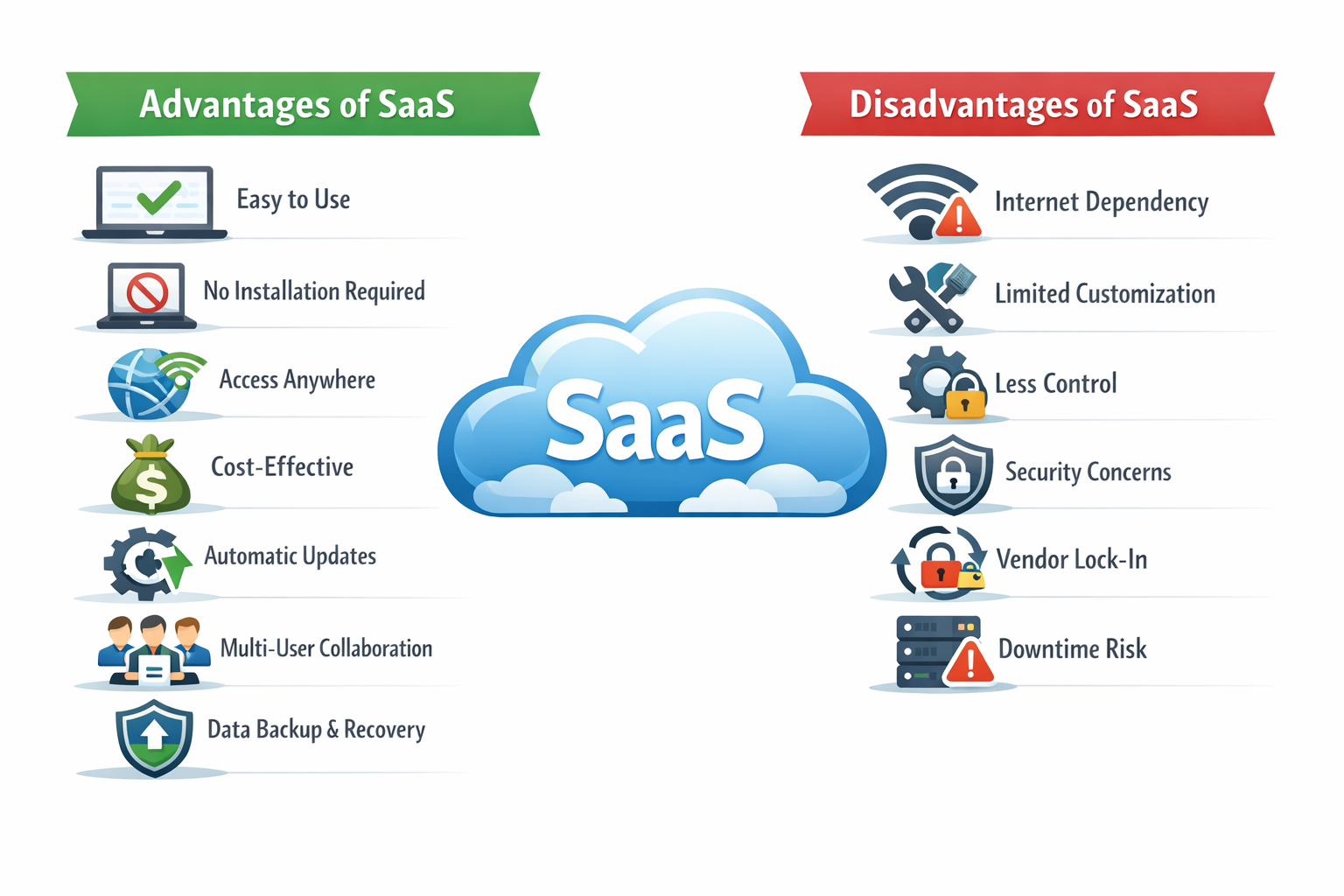
Let us explain each advantage and disadvantage of Software as a Service (SaaS) in detail.
Advantages of Software as a Service (SaaS)
SaaS offers many benefits that make it the most widely used cloud service model.
1. Easy to Use
SaaS applications are built to be simple and user-friendly so that anyone can use them without technical knowledge. Users don’t need to install, configure, or maintain the software. Everything is ready to use through a web browser, making it ideal for beginners and non-technical users.
Benefits
- User-Friendly Interface: Clean and simple design helps users perform tasks easily.
- No Technical Skills Required: No need to understand coding or system setup.
- Quick Learning Curve: Users can start working within minutes without training.
- No Installation Needed: Just open a browser and start using the application.
Example
A student can open Google Docs, start typing, and save work instantly without installing any software or learning complex tools.
2. No Installation Required
SaaS applications remove the need to download or install software on your device. Users can access everything directly through a web browser, which saves time and makes usage simple and fast.
Benefits
- Instant Access: Start using applications immediately without setup.
- Saves Device Storage: No need to use local disk space.
- Reduces Setup Time: No installation or configuration required.
- Platform Independent: Works on any device with a browser.
Example
You can open Gmail in your browser and start sending emails without installing any software.
3. Accessibility from Anywhere
SaaS applications allow users to access software and data from any location as long as there is an internet connection. This makes work flexible and convenient.
Benefits
- Remote Access: Work from home, office, or anywhere.
- Multi-Device Support: Accessible on mobile, laptop, or tablet.
- Global Availability: Use services from any part of the world.
- Flexible Work Environment: Supports remote learning and working.
Example
A student can open their assignments from school, home, or even while traveling.
4. Cost-Effective
SaaS helps reduce costs by removing the need for expensive hardware, software licenses, and maintenance. Users pay only for what they use through subscriptions.
Benefits
- Subscription-Based Pricing: Pay monthly or yearly as needed.
- No Upfront Investment: No need to buy costly software.
- Lower Maintenance Costs: Provider handles updates and support.
- Scalable Pricing: Increase or decrease usage based on needs.
Example
Netflix offers affordable monthly subscriptions instead of purchasing physical DVDs.
5. Automatic Updates
SaaS providers handle all updates and improvements automatically, so users always have access to the latest version without any effort.
Benefits
- Always Up-to-Date: Latest features are available instantly.
- Bug Fixes Included: Issues are resolved automatically.
- No Manual Updates: Saves time and avoids interruptions.
- Improved Security: Updates often include security patches.
Example
Zoom automatically updates to the latest version without requiring user action.
6. Multi-User Collaboration
SaaS allows multiple users to work together on the same platform in real time, improving teamwork and efficiency.
Benefits
- Real-Time Collaboration: Multiple users can work at the same time.
- Shared Access: Easy sharing of files and projects.
- Improved Communication: Teams can interact and collaborate easily.
- Faster Productivity: Tasks are completed more quickly.
Example
Students can edit the same document together using Google Docs.
7. Data Backup and Recovery
SaaS platforms automatically store and protect data in the cloud, ensuring that it is safe and can be recovered if lost.
Benefits
- Automatic Data Saving: Data is saved continuously.
- Easy Recovery: Restore deleted or lost files easily.
- High Reliability: Data is stored securely across multiple servers.
- Disaster Protection: Protects data from device failure.
Example
Google Drive automatically saves and backs up files, so you don’t lose your work.
Here is your improved and SEO-optimized version with clearer explanations, better flow, and consistent structure:
Disadvantages of Software as a Service (SaaS)
Despite its many advantages, SaaS also has some limitations that users and businesses should consider before adopting it.
1. Internet Dependency (Improved Explanation)
SaaS applications completely rely on an internet connection to function. Without a stable and fast connection, users may face difficulties in accessing services and performing tasks.
Challenges
- No Offline Access: Applications cannot be used without internet connectivity.
- Performance Issues: Slow or unstable internet reduces speed and efficiency.
- Service Interruptions: Connectivity problems can stop work completely.
Example
If the internet connection is lost, users cannot access or edit files in Google Docs.
2. Limited Customization
SaaS applications are designed for a wide range of users, which limits the ability to customize features according to specific needs.
Challenges
- Restricted Features: Users cannot modify core functionalities.
- Standardized Environment: Same interface and features for all users.
- Limited Flexibility: Difficult to adapt software for unique business requirements.
Example
Users can only use the customization options provided in Gmail, without changing its core system.
3. Less Control
In SaaS, the service provider manages the software and infrastructure, which means users have limited control over how the system operates.
Issues
- Dependence on Provider: Users rely on provider decisions and policies.
- Limited Configuration Options: Cannot fully control system settings.
- Forced Updates: Changes are applied automatically without user choice.
Example
Users cannot control when or how updates are applied in SaaS applications.
4. Security Concerns
Although SaaS providers implement strong security measures, storing data on external servers can still raise security and privacy concerns.
Risks
- Data Privacy Concerns: Sensitive data is stored outside the organization.
- Potential Breaches: Cloud systems may be targeted by cyberattacks.
- Compliance Issues: Meeting legal and regulatory requirements can be challenging.
Example
Companies must ensure their cloud-stored data is secure and complies with regulations.
5. Vendor Lock-In
Switching from one SaaS provider to another can be complex and time-consuming, making users dependent on a single provider.
Challenges
- Data Migration Issues: Transferring data between platforms is difficult.
- Compatibility Problems: Different systems may not work together.
- High Switching Costs: Time, effort, and cost involved in migration.
Example
Moving data from one cloud-based CRM system to another may require conversion and reconfiguration.
6. Downtime Risk
SaaS services depend entirely on the provider’s infrastructure, so any downtime or outage can affect user access.
Issues
- Service Interruptions: Applications become unavailable during outages.
- Performance Dependency: Users rely on provider uptime and reliability.
- Business Impact: Downtime can delay work and reduce productivity.
Example
If a SaaS platform goes down, users cannot access their applications or data.
Conclusion
Software as a Service (SaaS) is a convenient and user-friendly cloud model that simplifies software usage but has certain limitations.
- Easy to use and accessible
- Cost-effective and scalable
- Limited control and customization
Understanding both advantages and disadvantages helps users use SaaS effectively in real-world scenarios.