










Can ChatGPT Make Videos? How to Turn Text into Videos with AI Easily?
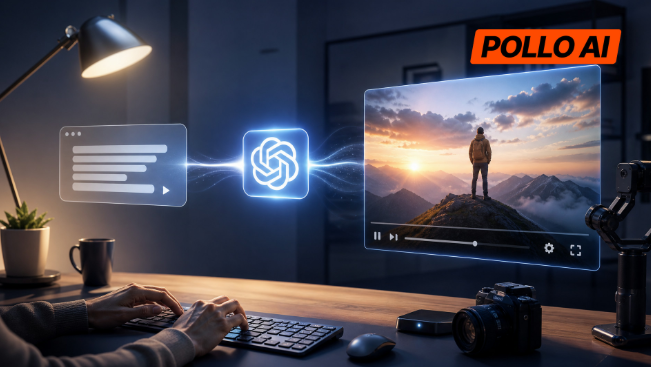
ChatGPT can write scripts and describe scenes, but turning those words into an actual video requires a video generation tool. For creators who have ideas but lack footage or editing skills, the ChatGPT Video Generator on Pollo AI provides a way to turn text, scripts, images, and links into videos with AI. Here’s what the tool can do, how to use it, and what to keep in mind when turning a written idea into a finished video.
Can ChatGPT Actually Make Videos?
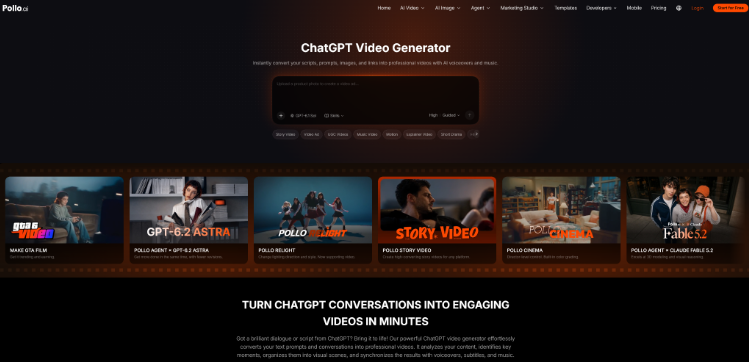
Yes. Pollo AI integrates ChatGPT into its video creation workflow, allowing users to work with GPT directly on the platform without switching between separate tools.
Unlike a standard ChatGPT conversation, which mainly produces text and scripts, the ChatGPT Video Generator on Pollo AI connects conversational AI with video production. Users can describe their ideas in natural language, refine them through follow-up instructions, and turn the content into multi-scene videos.
The tool can also generate voiceovers, subtitles, and background music. Users can provide images or URLs as references, customize narration, and request changes to individual scenes, assets, or captions without recreating the entire video. Character reference images can also be tagged with @ to help maintain consistent appearances.
For example, an online seller can describe a product and its key features, discuss the desired visual style with GPT, and turn the resulting brief into a promotional video.
This brings GPT assistance and AI video generation together in one workflow, making it easier to go from a text-based idea to a finished video.
How to Turn Text into Videos with AI Using Pollo AI
The process involves providing source material, confirming the creative direction, and reviewing the generated video.
Step 1: Enter a Text Prompt or Upload Reference Material
Visit the ChatGPT Video Generator on Pollo AI and start a conversation.
Users can enter a short prompt, paste a GPT-generated script, upload images, or provide a URL. A complete script isn’t necessary, but the input should explain the subject and what the video needs to show.
For example, someone promoting a portable coffee machine could enter:
“Create a short product video showing a portable coffee machine. Start with a close-up of its compact design, show how it prepares coffee, and finish with someone using it outdoors. Use a clean, realistic visual style.”
This gives the generator a clear subject, a sequence of actions, and a setting to work with. It also leaves room for the AI to organize the visual presentation.
Step 2: Confirm the Scene Direction and Audio Preferences
After analyzing the input, the generator organizes the content into a proposed sequence of scenes. Users can clarify the visual style and provide additional instructions through the conversation.
They can also specify narration language, voice characteristics, and background music. The video format should match its intended destination: vertical for TikTok and Instagram Reels, or widescreen for YouTube.
For videos featuring recurring characters, users can upload a reference image and tag it with @ to help maintain a consistent appearance across scenes.
Before proceeding, check whether the proposed scenes actually reflect the original idea. A product demonstration, for instance, should show the product being used rather than rely on unrelated lifestyle footage.
Step 3: Generate, Review, and Download the Video
Once the creative direction is confirmed, the generator creates the video with the selected scenes and audio elements.
Watch the result from beginning to end. Check whether the visuals match the narration, subtitles are accurate, and transitions feel natural.
If one scene misses the mark, users can request changes to individual scenes, assets, captions, or creative directions instead of starting over. For further adjustments, the AI Video Editor available on Pollo AI can also be used.
When the video is ready, it can be downloaded for publishing.
What Types of Text Can Be Turned into Videos?
A formal script isn’t the only useful starting point. Different kinds of written material can work depending on the project.
Short prompts: A few sentences describing a subject, setting, and action can be enough for a simple concept video or visual experiment.
Existing scripts: Creators can reuse GPT-generated dialogue and narration, allowing the generator to organize the content into corresponding scenes.
Product descriptions and URLs: Sellers can provide product information and references to create introductory or promotional videos without arranging a new shoot.
Story outlines: Writers can turn a sequence of events into a visual narrative. Character reference images are particularly useful when the same protagonist appears throughout the video.
The best starting point depends on how much control the project requires. A short prompt works for a simple concept, while a detailed script is more suitable when the order of events and narration matter.
Tips for Getting Better Results
A few practical adjustments can save time when working with text-to-video generation.
Describe actions rather than just subjects. “A person opens a coffee machine and prepares a drink” gives the generator more direction than simply saying “make a coffee video.”
Keep the story focused. Too many characters, locations, and unrelated actions can make a short video feel disjointed. Start with the main moments and build around them.
Use reference images for important details. If a particular character or product needs to remain recognizable, provide visual references instead of relying entirely on text descriptions.
Check the generated footage carefully. A well-written script doesn’t guarantee accurate visuals. Pay particular attention to product details, character appearance, captions, and scene transitions before publishing.
Conclusion
Can ChatGPT make videos? It can help develop scripts and creative ideas, but a video generation tool is needed to turn text into moving images.
The ChatGPT Video Generator on Pollo AI bridges that gap by converting prompts, scripts, images, and URLs into multi-scene videos with voiceovers, subtitles, and music. For creators who have written content but lack the footage, time, or editing skills to produce videos manually, it offers a practical way to go from a text prompt to an AI-generated video.