











Protecting Your Home Office: Why IObit Malware Fighter 13 Is the Top Choice for Remote Workers
There are flexibilities involved in working from home. However, there are also security concerns. People who work remotely can view work emails, share documents, participate in virtual conferences, and access company information via their personal computers. If these activities aren’t protected, it can leave important data vulnerable to malware, phishing, ransomware and other online threats.
Home networks might not have the same security measures as office networks. Personal and work files are exposed to risk with just one unsafe download or on receiving a suspicious email attachment. IObit Malware Fighter 13 offers multiple protection features to keep the remote workers’ computers and private information safe.
Why Do Remote Workers Need Extra PC Protection?
Employees working remotely may be responsible for accessing and handling sensitive data, such as customer records, business documents, logins, and financial files. They can be targeted by cybercriminals via spoof emails, malicious sites, and tainted downloads.
For instance, a worker can get an e-mailing message that appears as though it is coming from his or her supervisor. It may have a link to a fake login page to steal account information. Likewise, if a user downloads an infected file from an unknown source, the file could contain malware that gets into the system.
Using security software helps detect these threats and reduces the chances of unwanted access to important information.
Some Amazing Features of IObit Malware Fighter 13 to Explore
Here are amazing features of IObit Malware Fighter 13 for protecting home office computers.
Triple Engine Protection
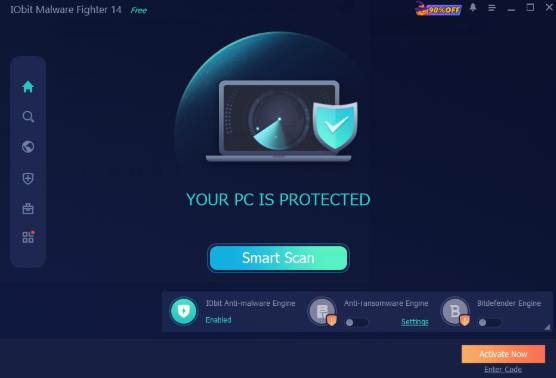
The software combines the IObit Anti-Malware Engine, Bitdefender Engine, and IObit Anti-Ransomware Engine. These engines work together to detect different types of threats, including viruses, Trojans, spyware, and ransomware. This protection is useful for remote workers who regularly download and share files.
Sensitive Data Protect
Remote workers often save business documents, personal records, and other confidential files on their computers. Sensitive Data Protect helps prevent unauthorized access to selected files and folders. It offers an additional layer of protection against ransomware attacks.
Safe Box
Safe Box allows users to add important files and folders to a protected location. Access requires the correct password, helping prevent other users and unauthorized applications from opening protected information.
Browser Protection
Browser protection of IObit Malware Fighter 13 covers Surfing Protection, Download Protection, DNS Protection, Anti-Tracking, and Homepage Protection. These features help users avoid malicious websites, suspicious downloads, browser hijackers, and unwanted tracking.
Step-by-step to Use IObit Malware Fighter 13
Follow these four steps to set up the software and protect your computer.
Download and Install
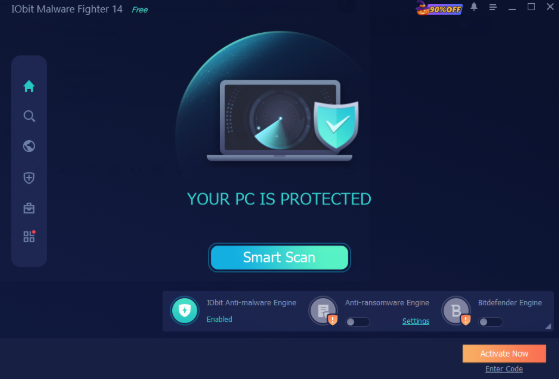
Go to the official IObit Malware Fighter website and download the installation package.Launch the downloaded file, then proceed through the on-screen setup steps. Review each option before finishing and deselect any optional software you do not want to install.
Update the Database
Launch IObit Malware Fighter and look for pending updates. Select Update to download the newest malware definitions. Keeping these definitions current helps the program identify more recent threats.
Run a System Scan
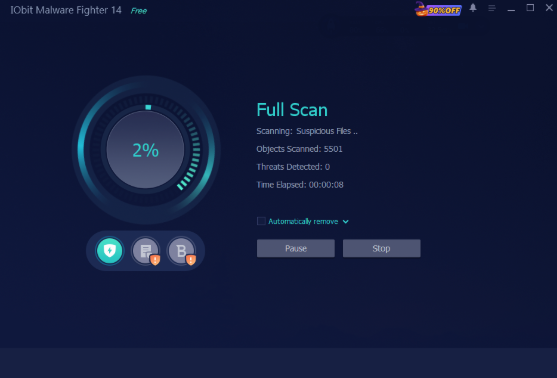
Select Smart Scan for a faster system check, Full Scan for a more comprehensive review, or Custom Scan to inspect specific files or folders. Start the scan and review the results when it finishes. If the program detects threats, choose Remove or Quarantine as appropriate..
Enable Real-Time Protection
Go to the Security Guard or Protect area and confirm that Real-Time Protection is switched on. Where available, enable additional safeguards, including Network Guard, File Guard, Startup Guard, and Behavior Guard..
Additional Tips for a Secure Home Office
Security software is not the only aspect of computer protection. Basic safety measures must be followed by remote employees as well.
- Use robust and secure passwords on work accounts.
- Wherever possible, provide two-factor authentication.
- Do not open any attachments that you did not expect in an email message.
- Ensure that Windows and software programs are current.
- Regularly back up important files of work.
- Use a secure wireless password to secure your home network.
- Do not conduct sensitive work when using public wi-fi without adequate protection.
These behaviors can decrease the amount of common security risks and help to stop data loss.
Final Thoughts
Remote workers need to protect their computers because they regularly handle work-related files, emails, and private information. IObit Malware Fighter 13 offers useful security features, including triple engine protection, real-time security guards, browser protection, Sensitive Data Protect, and Safe Box.
If you are looking for a reliable free antimalware solution, IObit Malware Fighter is worth considering. Its security tools can help protect your home office computer from malware and other common threats while you work remotely.